Disney Speedstorm Review: Mickey Kart Racing Goes Mobile
Mickey drifts to charge boost and fires skills collected from blue track boxes: a Disney Speedstorm review covering Zen Garden and Pirate Bay.
Game at a glance
Disney Speedstorm
7.5/ 10
Our score
Mario Kart, cool-mouse edition.
In this article6 sections
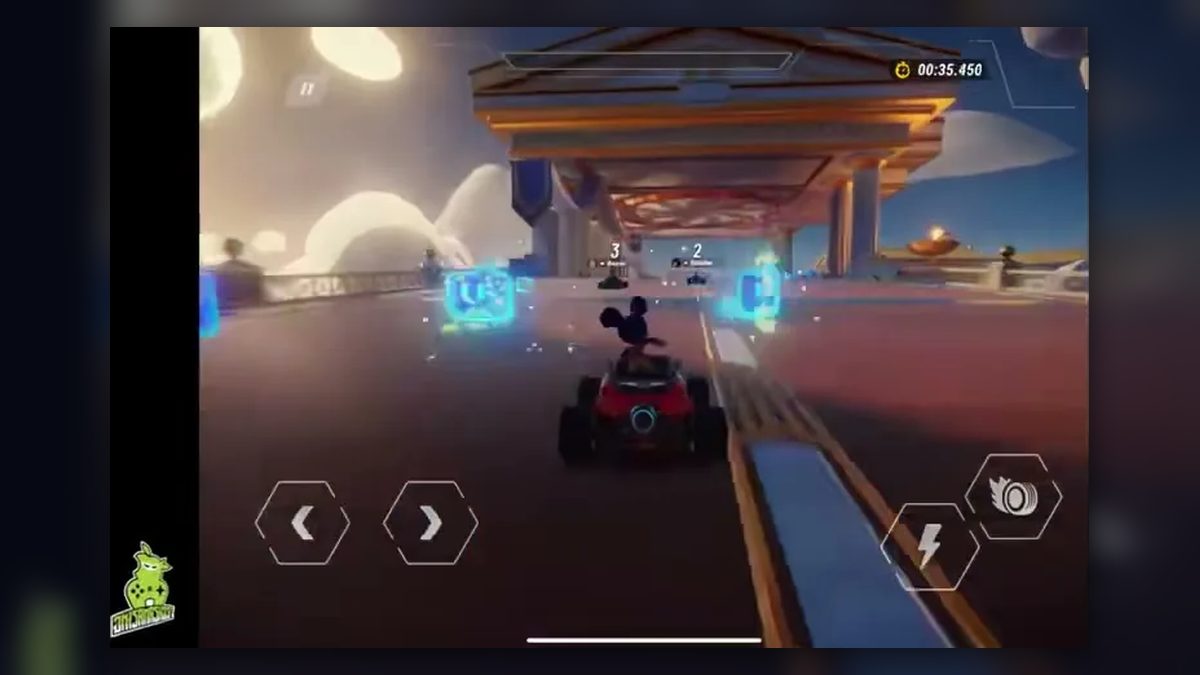
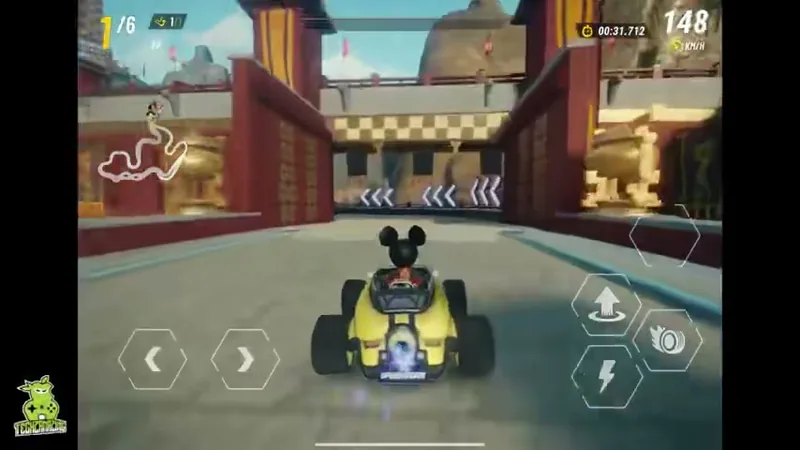
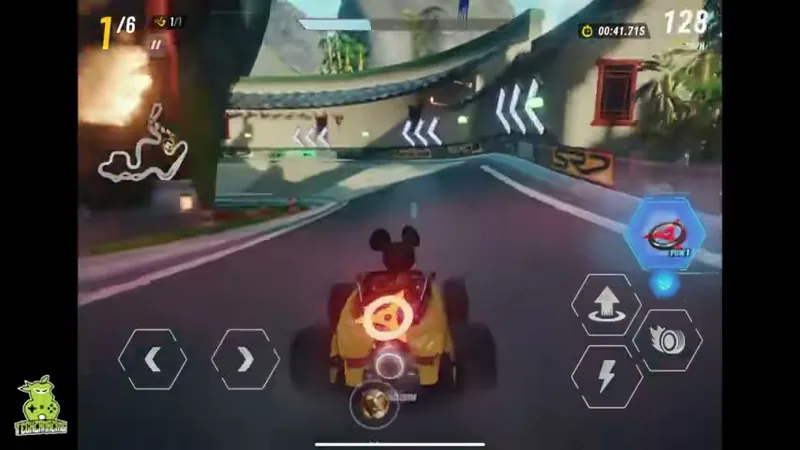
Zen Garden starts with Mickey Mouse sixth of six and “FINAL LAP!” already hanging over the road, because the whole race is one lap. Drifting past stone lanterns charges the boost bar while blue boxes on the track fill a skill slot. By the time the timer reads 01:21.737, Mickey is in first with a translucent green barrier wrapped around his kart.
That one race holds the core of Disney Speedstorm: a free-to-play 3D kart racer starring Disney characters, now out on mobile. Put plainly, it is Mario Kart with a cool mouse at the wheel, pairing the Disney license with Mario Kart-style racing: boxes on the road feed skills fired from a slot, and drifting charges a boost.
We played the tutorial race and the first two Starter Circuit races, Zen Garden and Pirate Bay. Mobile suits this game best, though the handling is rather floaty and the progression system rather tough, which carries some risk.
Charging boost through drifts and blue boxes
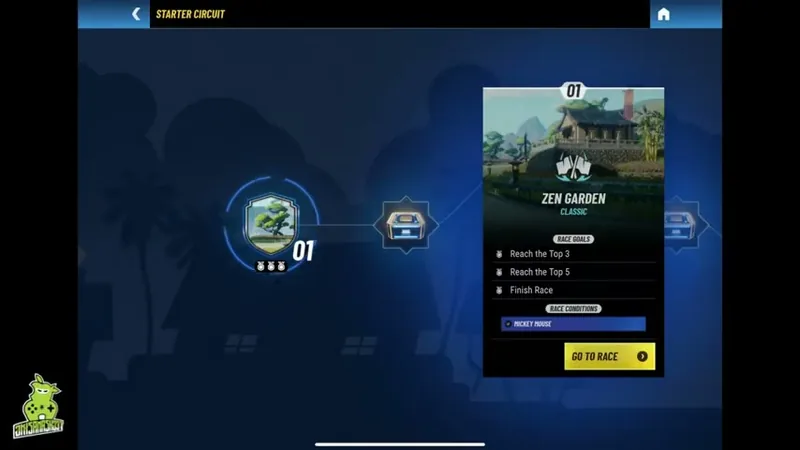
Your finishing position decides every race. The Classic mode screen asks “Can you be the first Racer to the finish line and win the race?”, and each Starter Circuit race also lists three race goals on its pre-race card, with a race condition reading “MICKEY MOUSE”. Each track has a fixed number of laps, and no fail screen, lives, energy or time limit ever appeared. Crossing the line shows “RACE FINISHED!” with the placing, then a goals panel that checks off the goals met.
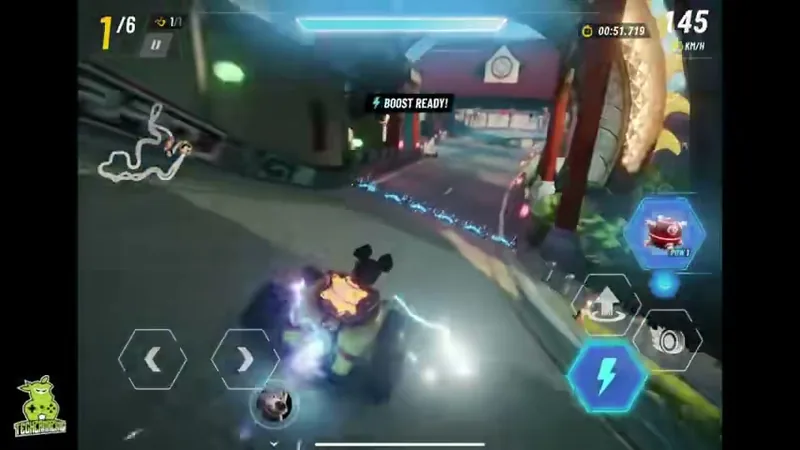
The controls are touch buttons on a landscape screen. Two hexagonal arrows at bottom left steer. On the right sit a tire-icon drift button and a lightning-bolt boost button, next to a button showing an up arrow over a curved arrow, and a hexagonal slot above them, labeled “POW 1”, holds the collected skill. A pause button sits at top left, and before the first race Arbee, the game’s robot guide, offers “STEERING ASSIST” or “MANUAL STEERING” (tagged “EXPERT”) with the line “LET ARBEE HELP YOU WITH DRIVING FOR A RACE OR TWO?”
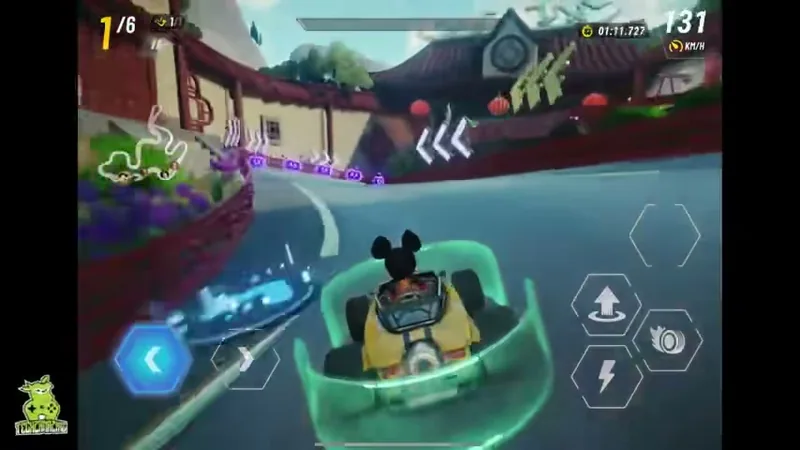
The position and lap counters sit at top left above a minimap dotted with racer portraits. The boost bar spans the top center, while the race timer and a KM/H speed readout fill the top right. Rival karts carry floating position numbers and name tags, and glowing chevron signs along the edges point into upcoming turns.
The Disney Speedstorm gameplay loop stays the same from race to race. Mickey lines up in a field of six karts on the Starter Circuit and drifts through corners to fill the boost bar, firing the boost once it is ready. Driving through floating boxes loads a skill to trigger. Between races the game returns to the Starter Circuit map, where you claim reward boxes and open the next numbered race.
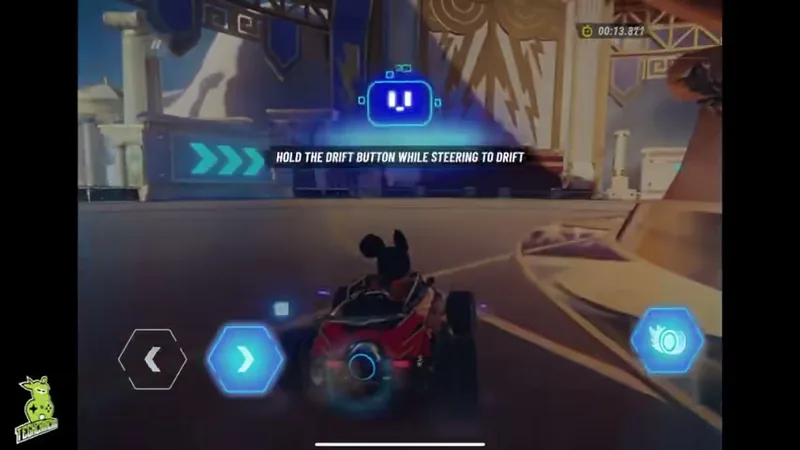
The tutorial teaches drifting through Arbee, a small robot drawn in neon lines, which appears over the track with “HOLD THE DRIFT BUTTON WHILE STEERING TO DRIFT”. Holding the tire button through a turn sends the kart sliding around it. A tip on a later pre-race card spells out what drifting is for: “Drift to charge your boost bar.”
The boost bar at top center fills over the course of a race. Once it is full, the lightning button lights up blue and “BOOST READY!” appears above the track. Firing it throws sparks and a blue-white trail off the kart.
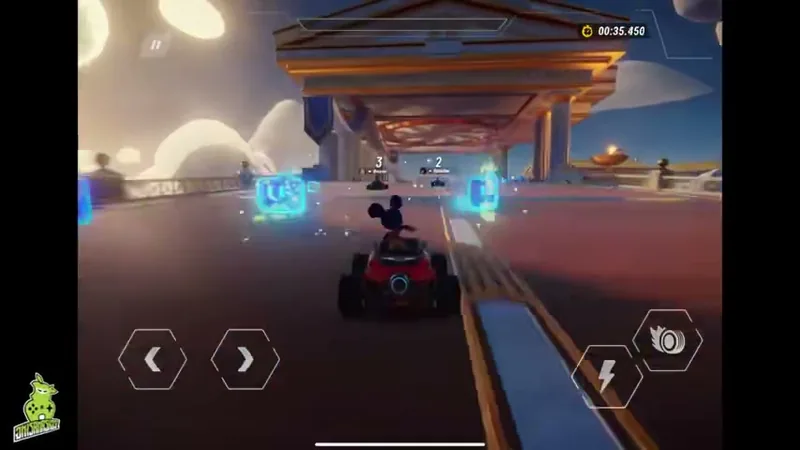
Skills come from glowing blue boxes that float above the road in a row, each marked with a robot-face icon. Driving into one bursts it into neon box outlines, and a skill icon drops into the POW slot on the right.
Different skills turned up in that slot across the races, among them a round red robot-like icon, a teal icon shaped like a ramp and a red target ring that also shows over Mickey’s kart. Nothing in these races spelled out what each one does. The only guide on screen is a pre-race tip: “Red is for Stun effects, blue is for speed, green is for protection, and purple is for all kinds of trickery.” A tip during the Pirate Bay race reads “Use when you have a Skill to activate it!”
For stretches of a race, a translucent green barrier stands around Mickey’s kart like a low wall and stays with it through corners. By the color code, green means protection.
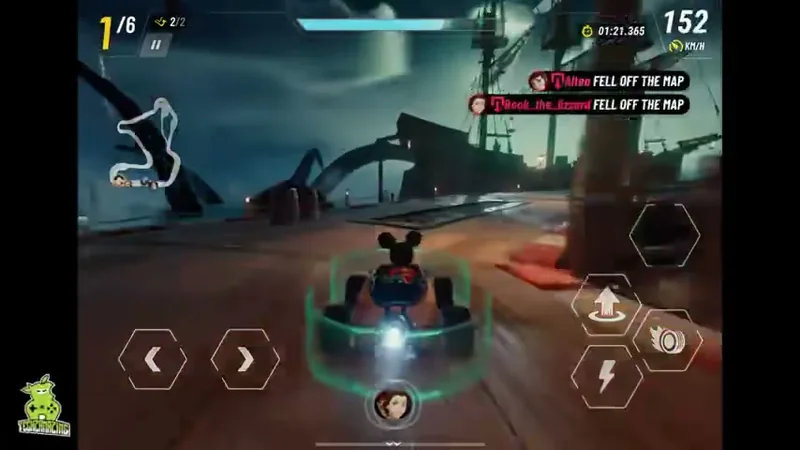
Hits are hard to miss. Large orange and purple explosions burst across the track, and a banner at top right pairs a racer’s name with “YOU”. A feed in the same corner reports rivals who drop off the course, each tagged “FELL OFF THE MAP”; Mickey never fell off in any race.
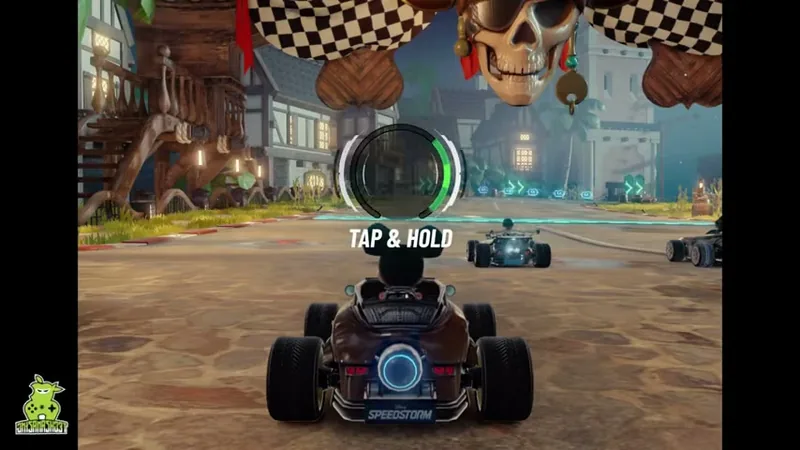
The Pirate Bay start has one more element. On the grid beneath a giant pirate skull flanked by checkered flags, a ring gauge with a green arc hangs over the kart above the words “TAP & HOLD”.
Six karts line up at Pirate Bay for two laps of a night harbor, with goals for a top-three finish and for using one, then two skills. Mickey is second as the first lap begins, and yellow banners slide in at top left as the skill goals come up: “Use 1 Skill(s)” with a check, then “Use 2 Skill(s)”. On the second lap the feed reports two rivals off the map. The HUD reads 1/6 under the finish arch, and back on the circuit map node 02 shows three gold medals.
From Arbee’s tutorial to the Starter Circuit
Before any racing, the game asks the player’s age, and Arbee introduces itself in typed lines on a blue grid. The tutorial race that follows builds up the controls one at a time. Only the two steering arrows are on screen at first; the drift button appears with its prompt, then the boost button with its bar, and the up-arrow button and skill slot come last along with the position and lap counters and the minimap. The run is four karts over two laps among white-and-gold Greek-style columns and clouds, and it ends on “RACE FINISHED!” and “1st”.
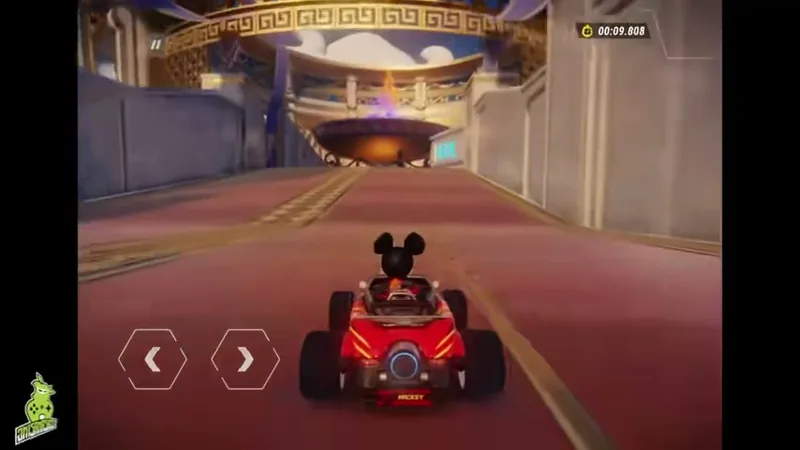
After the tutorial, single-player races sit on a “STARTER CIRCUIT” map as numbered nodes joined by a line, with reward boxes between them. The field grows from four karts to six, and lap counts shift: one lap at Zen Garden, race 01, then two again at Pirate Bay, race 02. Zen Garden is also where a KM/H speed readout joins the HUD, and its goals are all about placing: “Reach the Top 3”, “Reach the Top 5” and “Finish Race”.
The goals change with the second race. Pirate Bay keeps “Reach the Top 3” but switches the other two to skills, “Use 1 Skill(s)” and “Use 2 Skill(s)”, and its start is where the “TAP & HOLD” gauge appears. Races 03 and 04 wait further along the map.
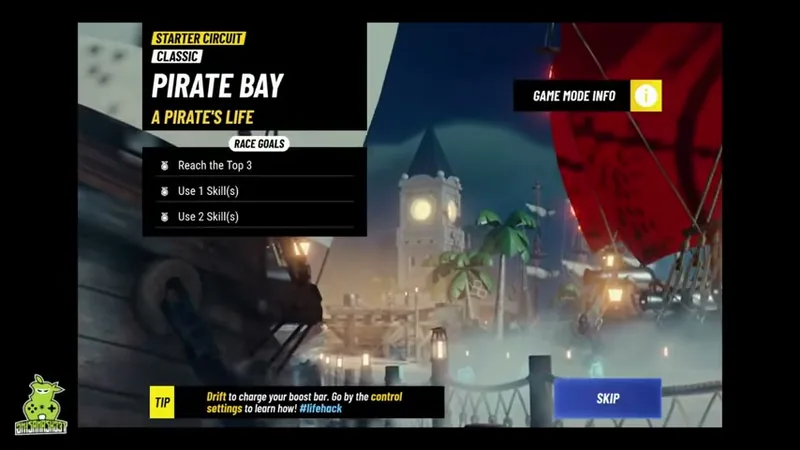
The setting changes with every race, and each pre-race card carries a subtitle: “THE GREAT WALL” under Zen Garden, “A PIRATE’S LIFE” under Pirate Bay. Zen Garden mixes East Asian rooftops with red lanterns and ramparts, while Pirate Bay is a harbor at night with tall ships and palm trees. Short character close-ups play before races, and at the finish the camera swings around the kart. The menus use a blue-and-yellow sports-broadcast style with bold condensed type and hexagon shapes, and the loading screen is a collage of Disney characters racing karts under the Disney Speedstorm logo.
Once the tutorial ends, a “WELCOME REWARDS” screen presents “MICKEY MOUSE” on a glowing platform, followed by a Mickey reveal with a “SKIP” button. The home screen then shows Mickey in a racing suit before a “SPEEDSTORM” backdrop, with “SINGLE PLAYER” and “MULTIPLAYER” buttons. The player name sits at top left and a settings gear at top right.
“RACER SELECTION” shows Mickey beside his kart and a “RACER STATS” panel with bars for “TOP SPEED”, “ACCELERATION”, “HANDLING”, “BOOST” and “COMBAT”, plus an “EDIT RACER” button. The customization screen spans four tabs, from “RACER” to “RANK”, and tags Mickey as “SPEEDSTER” and “MICKEY AND FRIENDS”. Its “SUITS” grid holds six suits, four of them padlocked, next to a “VICTORY ANIMATION” tab. Suits carry rarity labels, from the “COMMON” “DEFAULT” (“Toontech’s signature look”) to the “EPIC” “LEADER OF THE BAND” (“Join the jamboree”).
“PROFILE” shows the player name and ID with a motto credited to Donald Duck, above six stat tiles that run from total playtime and wins to goals completed and most-used racer. Beside them sit a “COLLECTION LEVEL” bar and a “SEASON 1” track titled “UNAFRAID” that counts XP. A “ROOKIE” badge marked “HIGHEST LEAGUE” stands over a total multiplayer rank, though multiplayer itself went untried. “EDIT INFO” opens “AVATAR” and “MOTTO” tabs, where avatar tiles carry colored corner tags and most mottos show padlocks.
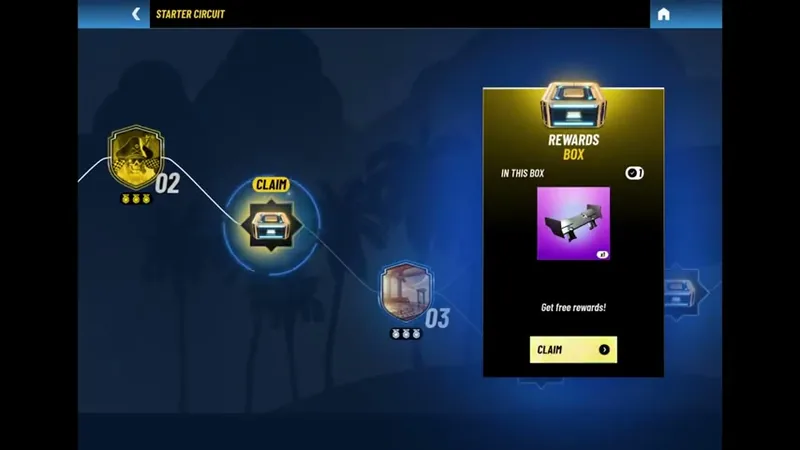
Race goals are tied to medals. Every goal on a race card has a medal icon beside it, and once a race is done the medal icons under its node on the map turn gold.
Reward boxes sit between the nodes and are marked “CLAIM” once the race before them is finished. A box’s panel reads “REWARDS BOX” and “IN THIS BOX” over one item card on a purple background, with “Get free rewards!” and a “CLAIM” button. Claiming the box after Zen Garden opened a “REWARDS BOX” screen with a “NEXT” button and no items shown yet.
The options menu has four tabs, from “SETTINGS” to “LEGAL”, with “INFO & SUPPORT” and “CONNECT” in between. The settings are grouped into categories from “CONTROLS” to “LANGUAGE”, and “ADVANCED GRAPHICS” joins them after the tutorial. Under cameras, “RACING CAMERA” is set to “CINEMATIC”, with “KNOCKDOWN CAMERA” and “HORIZONTAL TILT” below it, and the help text says the Steady camera is closer to classic kart games. Info & Support holds five buttons; customer care and game credits sit beside parental info and a “PLAY TUTORIAL” button.
The age screen states: “While this game is free to play, some game items may be purchased with real money.” No shop, prices or currencies turned up in any race or menu, and no ads appeared either.
Mobile as the best home for Mickey’s racer
This is not a new game. Disney Speedstorm came out on PC first, where the response was lukewarm, and we think mobile is the best home it could have. Its overall look is a touch more casual than the PC version, with some of the stranger effects and particles taken out. Commercially, we expect it to do about as well as Mario Kart’s mobile version.
Floaty karts and demanding racer progression
The upgrade and progression side is rather tough, and we see some risk in that. No upgrade screen or cost came up in any of these races.
The way the kart responds to your finger is rather floaty.
Then there is the Disney license itself. Its makers have partnered with Disney many times, yet games have still not tapped the full pull of the Disney name, and so far the results only scrape a pass. On screen, the license shows up in Mickey at the wheel and in the loading-screen collage of Disney characters racing karts.
Kart racing in landscape, three goals at a time
A race keeps both thumbs busy. The left one steers; the right one holds the drift through each bend and fires the boost when the bar fills, then spends whatever skill the last blue box handed over. Three goals per race turn the circuit map into a row of medals to color gold, node by node.
Off the track, much of the menu space goes to collection. Most suits and mottos sit behind padlocks, and the collection level and season track measure progress on long bars, next to a multiplayer league that starts at “ROOKIE”.
Verdict
Mario Kart-style racing with Disney’s characters has found its right platform on phones, and its commercial prospects look level with Mario Kart’s own mobile game. Against that stand floaty handling and a rather demanding upgrade system that carries some risk. Games have yet to make full use of the Disney name, though, and so far the results only scrape a pass.