5 Tricks Mobile Game Shops Use to Sell In-App Purchases
How mobile game shops are built to sell in-app purchases, from shared store IDs to a Bingo Blitz top tier that keeps climbing to $399.99.
In this article7 sections
- 01Linking store purchase IDs to in-game item IDs
- 02Pricing and naming purchase IDs
- 03Put the important things on the shop’s first screen
- 041. Lead the first screen with sale bundles
- 052. Order bundles and items by how much a paying player is expected to spend
- 06Make the shop screen clear and easy to use
- 07High-priced bundles for big spenders
For games that earn mainly from in-app purchases, the shop is one of the most important parts, because to a degree it shapes how much players spend. Here are five techniques behind the shop screens of games made for players outside China. Some are a side of mobile game design players never see, like the IDs behind every bundle; others are right there on screen, like the order of prices and a top offer that keeps changing.
Linking store purchase IDs to in-game item IDs
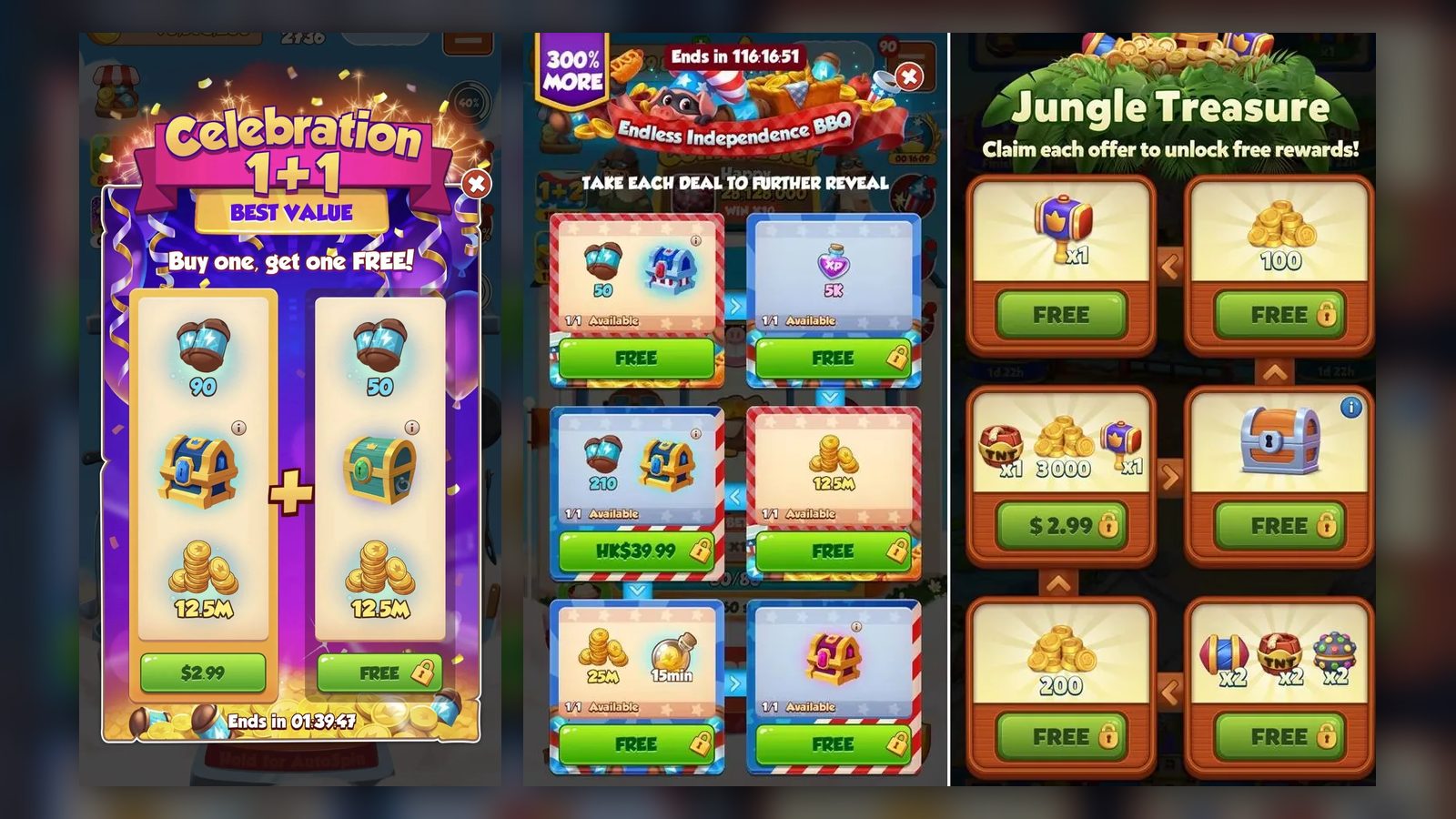
In games outside China, players aren’t used to buying a big pile of the main currency at once; most top up only when they need it. So in-game sale bundles are bought directly with real money, unlike in China, where sales usually revolve around converting the main currency into other currencies. Here is an example:
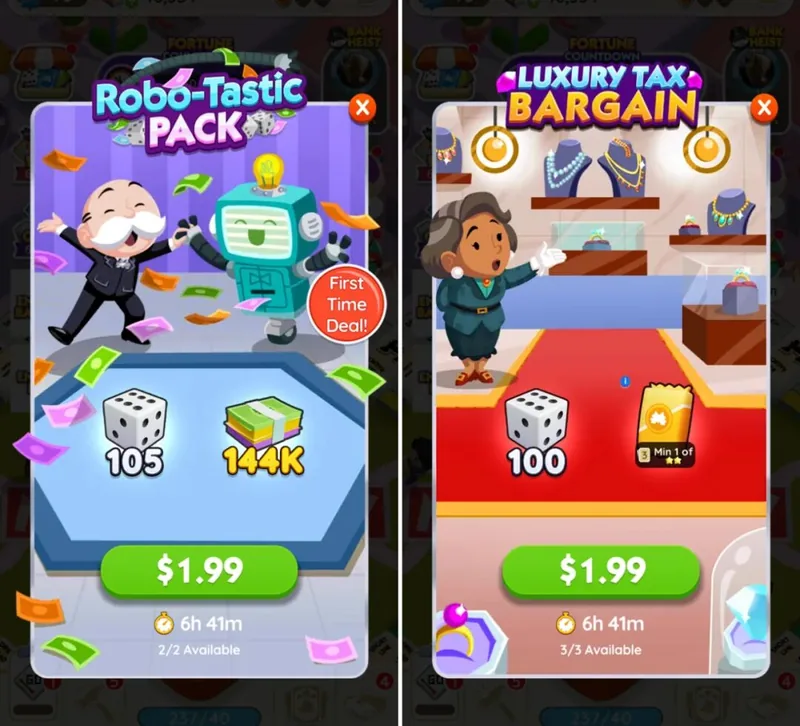
For these two bundles to show up in the game, the developer has to make sure each bundle’s purchase ID, the code the app store uses for a paid item, has already been created in the store’s developer console. This is what the list of in-app products looks like in Google Play’s developer console:
That’s a hassle, and it can also cause trouble on iOS: a new purchase ID can only be used after it passes review, which severely limits what events can do. Here is how we solve it:
- Name things clearly:
- All sale items at the same price share one purchase ID, and each one gets its own item ID, depending on where it’s used, to tell them apart.
A typical mapping of purchase IDs to item IDs looks like this:
| Item | Purchase ID | Item ID | Price |
|---|---|---|---|
| New Year sale bundle | iap_sale_1 | 1001 | $1.99 |
| Christmas sale bundle | iap_sale_1 | 1002 | $1.99 |
| Thanksgiving sale bundle | iap_sale_1 | 1003 | $1.99 |
| Halloween sale bundle | iap_sale_2 | 1004 | $2.99 |
| Lunar New Year sale bundle | iap_sale_2 | 1005 | $2.99 |
That way, the two bundles from the start can use the same purchase ID with different item IDs. After a player pays, the game can tell which item was bought from its item ID, instead of every event needing its own purchase ID. That cuts the cost of running events dramatically.
Pricing and naming purchase IDs
As mentioned above, a game needs a table that matches purchase IDs to item IDs. As a game keeps running, the number of paid items keeps growing and mix-ups happen often. Each new purchase ID has to be created in the store, and on top of that the development team and the publisher have to keep their own record of which purchase ID goes with which price, which means a lot of back-and-forth. Our suggestions:
- Set every price in US dollars and let the store convert it automatically into the currencies of other countries. That keeps upkeep low.
- Name each purchase ID as package name + feature + price, separated by dots, for example com.royalmatch.sale.199. Here com.royalmatch is the game’s package name (its unique app ID), sale is the feature name, in this case a sale, and 199 is the price in cents, so $1.99. The benefit is that the feature and the price can be read straight off the purchase ID, which makes it hard to mix things up.
- Use different package names for Android and iOS, since some third-party platforms don’t support an Android app and an iOS app sharing one package name, or have a hard time telling them apart.
Here is a typical paid-item table for a game sold outside China:
| Item | Feature | Purchase ID | Item ID | Price |
|---|---|---|---|---|
| New Year sale bundle | Sale | com.royalmatch.sale.199 | 1001 | $1.99 |
| Coins | Coins | com.royalmatch.coin.199 | 1002 | $1.99 |
| Coins | Coins | com.royalmatch.coin.299 | 1003 | $2.99 |
| Pass | pass | com.royalmatch.pass.1999 | 1004 | $19.99 |
Put the important things on the shop’s first screen
It’s well known that when a game has lots of features, the ones buried deep tend to get little use. The in-game shop works the same way: most players don’t stay in it long. Players who don’t pay won’t spend much time on the shop screen, and even paying players struggle to make up their minds when faced with a cluttered screen full of bundles. So the advice is:
1. Lead the first screen with sale bundles
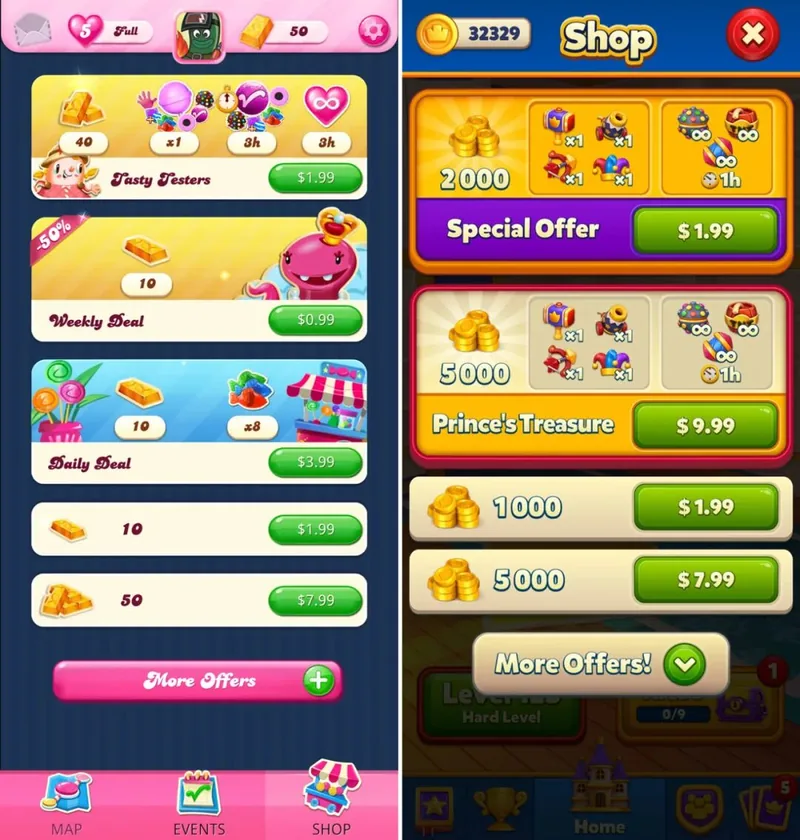
2. Order bundles and items by how much a paying player is expected to spend
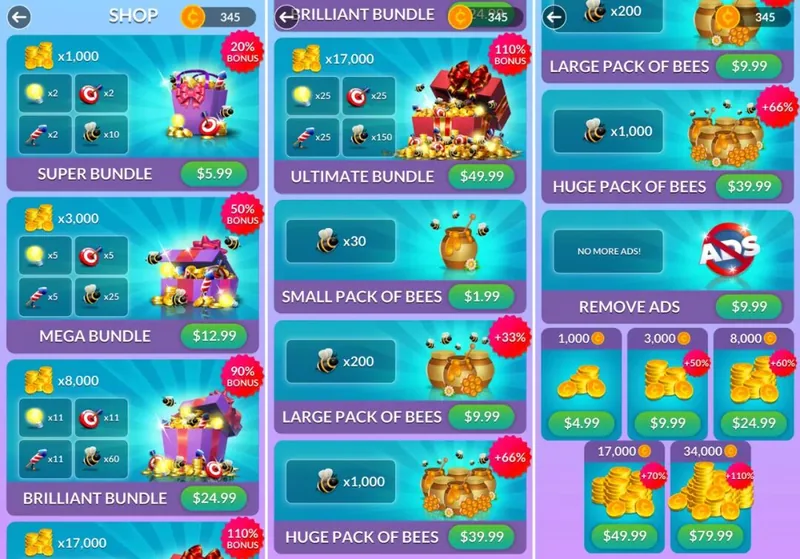
The shop above shows a lot of sale bundles at once, but their prices don’t climb in steady steps; they jump. The first bundle, for the main currency, costs $5.99, then come $12.99, $24.99 and $49.99. That suggests the game currently expects a paying player to spend around $5.99, and the order may also change based on how much each player has spent in the past.
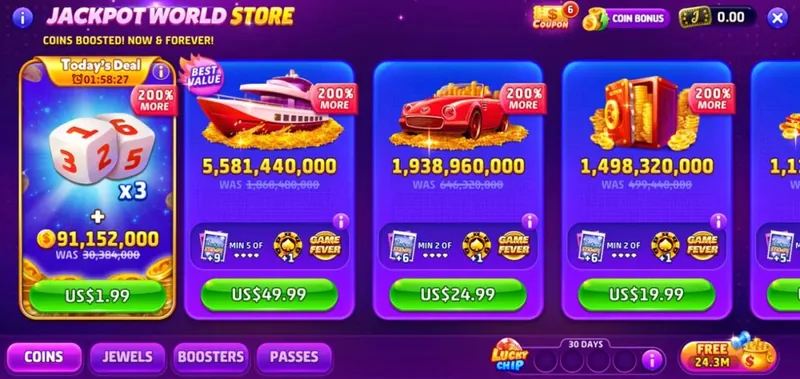
In the slots game above, slots is a genre where paying players spend a lot on average, so the store items are listed from the most expensive down. In many casual games, where most players spend small amounts, the items run from the cheapest up.
Make the shop screen clear and easy to use
As we covered in an earlier article, casual games outside China have a high share of middle-aged and older players, and many of them no longer see as well as they used to. If store items are too small, they can be hard to make out, as in this shop:
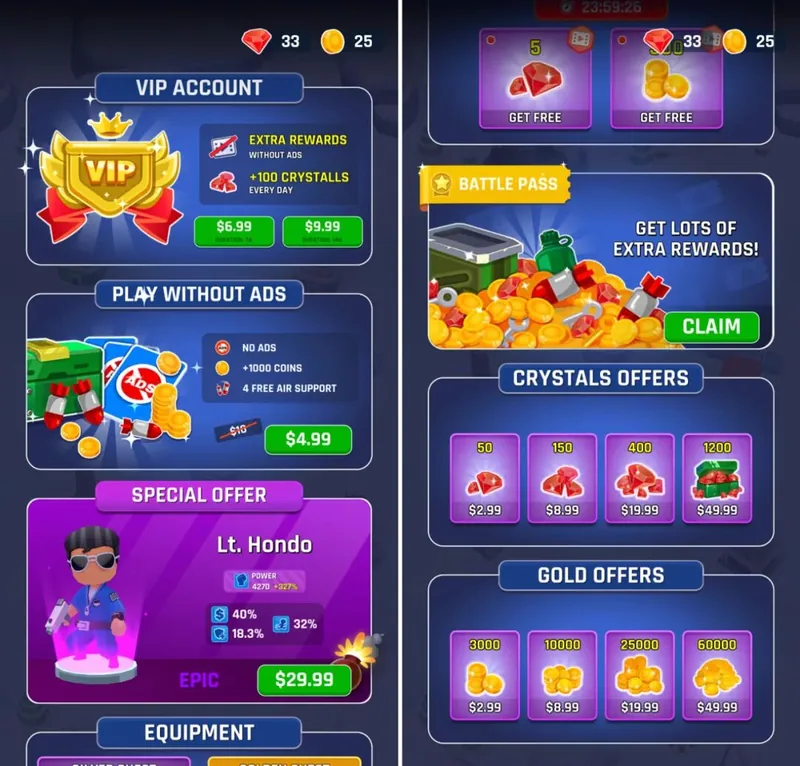
What’s wrong with this screen:
- The items and prices are so small that even tapping them is hard
- Too many colors crowd the first screen
That could easily cost sales. The store items in a few of the top, better-designed games share these traits: a clean screen, colors that don’t clash, and tap areas that are a sensible size and clearly marked.
High-priced bundles for big spenders
Developers who have worked on hardcore games all know that 648 yuan (about $90), the highest single top-up on mobile games in China, is still too low for big spenders. Buying a weapon worth 2,000 yuan (about $280) takes at least four top-ups, which is far too slow.
So games need high-priced bundles made for big spenders. Right now, the highest price Google Play allows is $399.99. But most players never spend that much in a single purchase, so the top tiers can’t all be shown at once; instead, the rules have to change from player to player. Here is the shop in Bingo Blitz:
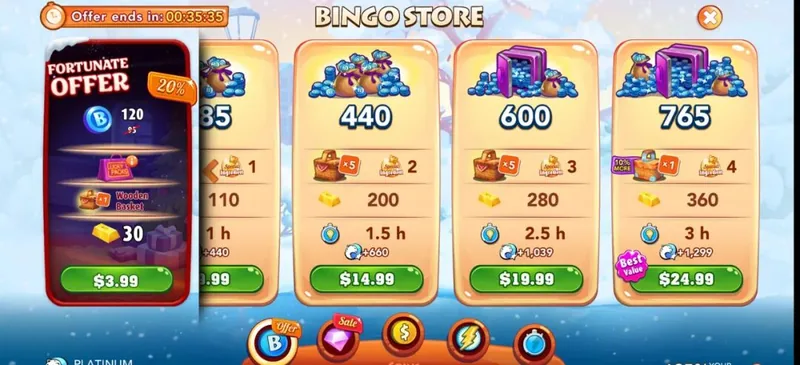
The highest price on offer right now is $24.99. Once a player buys the top $24.99 tier, the shop immediately refreshes and adds a higher-priced one, such as $39.99.
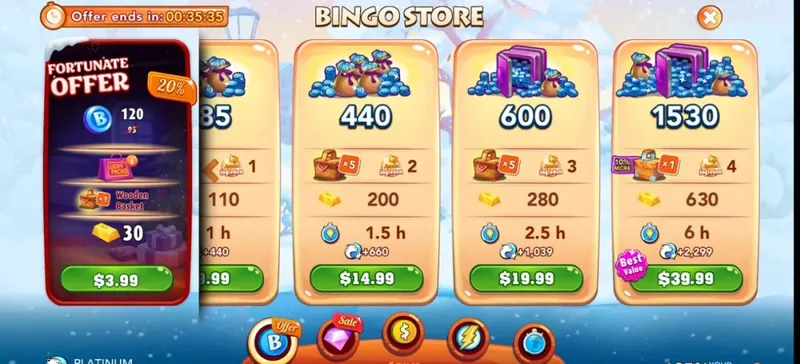
As long as the player keeps buying the top tier, new, higher tiers keep appearing, all the way up to the $399.99 maximum.
If a player’s spending over a period of time falls below a threshold, the price of the top tier drops as well.
Dynamic pricing like this gives big spenders what they want without taking up space in the shop. It’s a very good design, and one other games could learn from.
Those are the design techniques behind a well-built in-game shop.