Castle Master TD Review: Stack a Castle, Then Defend It
A Castle Master TD review: wooden bars and L-shapes fall to wall in a cartoon king, then archers and swordsmen march on the castle.
Game at a glance
Castle Master TD
8.5/ 10
Our score
Tetris lightens the defense, the defense gives Tetris some logic: a two-way street.
In this article6 sections
Castle Master TD starts from Tetris, the original falling-block puzzle. Wooden bars and L-shapes drop one at a time from the top of the screen, and the player slides and turns each one into place. The difference is where they end up: every piece becomes part of a castle around a cartoon king, and once the walls are up, enemy soldiers march in from both sides. That makes this mobile game one of the block puzzle games, with wave defense built on top of the stacking.
We found it a very interesting mashup of the two. We played all of Kingdom 1, up to its victory screen, and the first part of Kingdom 2, along with the menus in between.
Sliding pieces to roof over the king
No win rule is printed. The only goal on screen comes from the advisor, a man in a red coat who leans in from the right edge with tips in black speech bubbles: “Save the King!” There is no move counter and no level timer. Castle Master TD gameplay comes in two stretches, building first and then the enemy waves, and Kingdom 1 ended with “YOUWIN!” across the castle while the king still stood in his ground-floor room.
Two more tips explain the controls: “Touch anywhere and slide” and “Tap to rotate.” A pale outline in the shape of the falling piece shows where it will land, and the piece flashes yellow as it touches down. A pause button and a clock button occupy the upper-left corner. At the top right, a queue shows the next pieces, four of them followed by “…” when a kingdom begins.
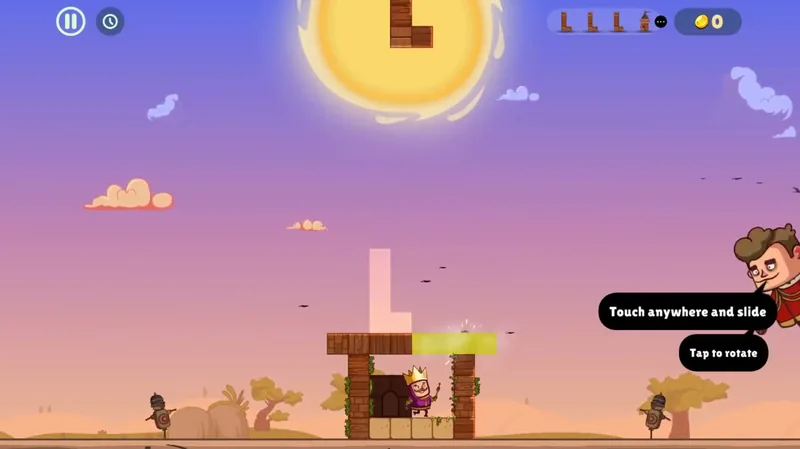
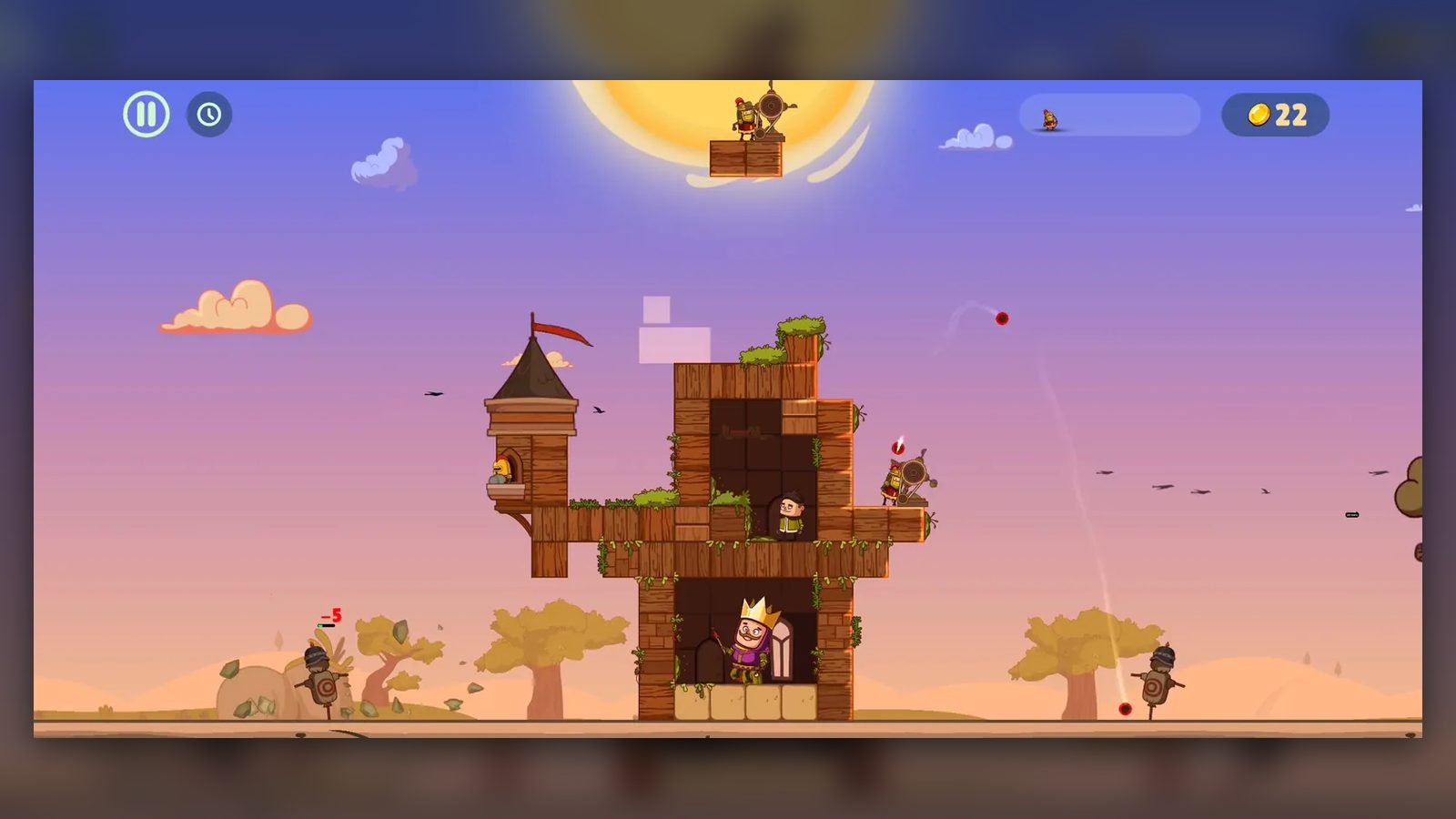
Two wooden posts and a strip of four sandstone blocks make up the whole castle when Kingdom 1 begins. The king stands between the posts under a huge desert sun, with a training dummy on each side. A straight bar falls first and becomes the roof over his head, while the queue holds another bar and three L-shapes, followed by “…”.
Midway through the build, the queue shows a turret, two launchers and an archer, and it runs empty before the first wave. Once the “WAVE: 1” banner appears, bars and L-shapes start dropping again one at a time, and “WAVE: 3” follows later in the same battle.
Roofing over an open space turns it into a room. When that first bar landed, the king’s ground floor became a dark room with an arched doorway, and soon a purple-haired woman stood beside him. The upper space, once roofed over, glowed green with gold coin icons on its blocks before a man in green appeared inside, and both times the gold coin total climbed.
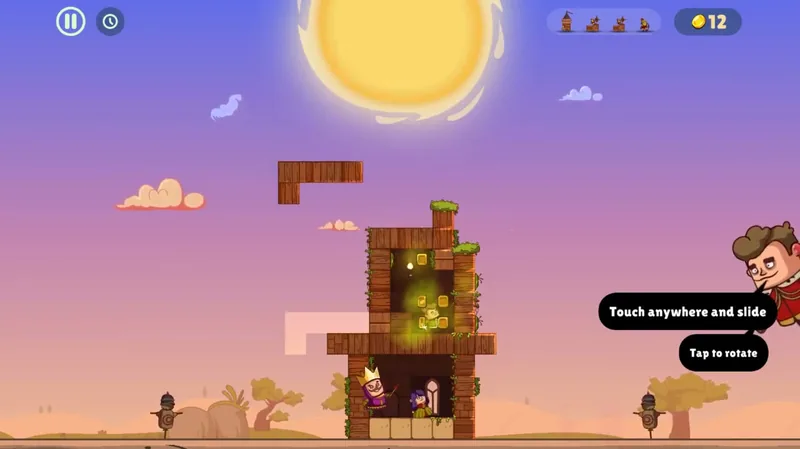
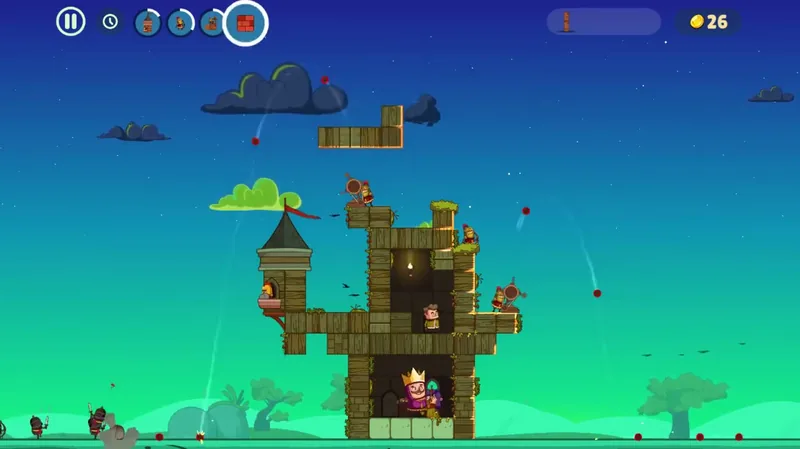
The turret piece is a small tower with a dark pointed roof and a red pennant, with a helmeted soldier at an arched window. It drops like any other piece. In Kingdom 1 one ended up on a ledge on the castle’s left side; in Kingdom 2 one already stood on the left wall when a second came down, and soon a turret stood on the right side as well.
The Potato Launcher is a red-plumed soldier beside a round, wheel-shaped launcher on a short wooden base. It falls the same way and settles on ledges and wall tops. Its card on the defenses screen lists HP 4 +2 and Damage 1, with an auto-creation time of 120s, and says its speed partly makes up for its weak projectiles.
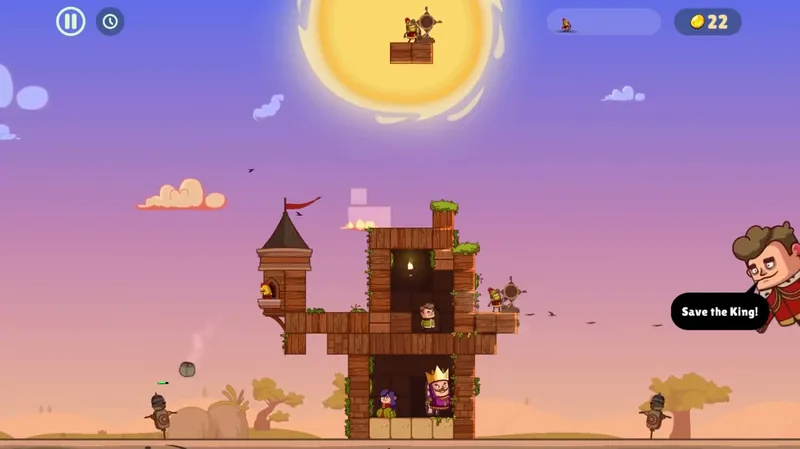
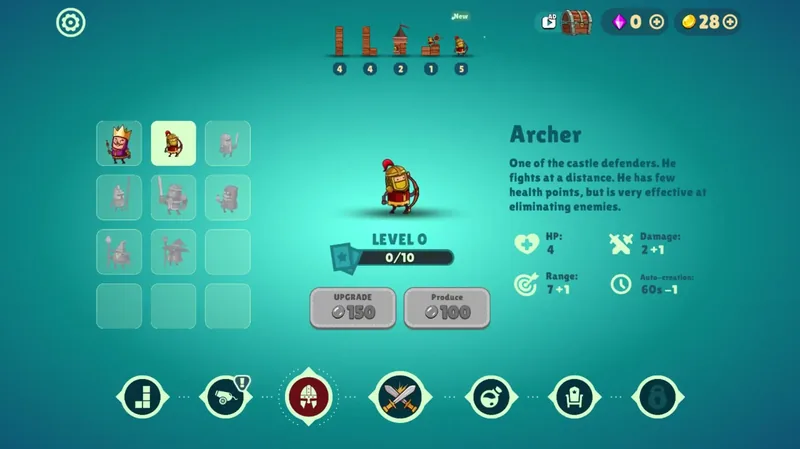
Archers come down one at a time, each inside a small square frame with a light beam running straight down to its landing spot. Once it lands, the archer stands on the castle wall. His card calls him a ranged defender with few health points who is very effective at eliminating enemies, and it lists HP 4 and Damage 2 +1 alongside Range 7 +1 and Auto-creation 60s -1.
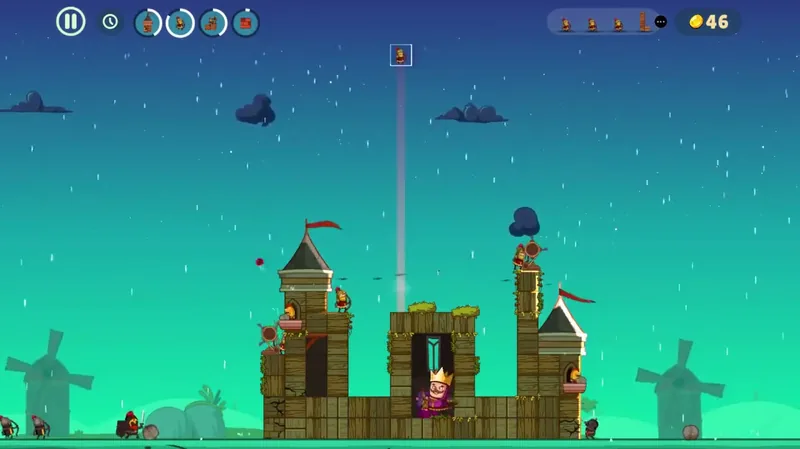
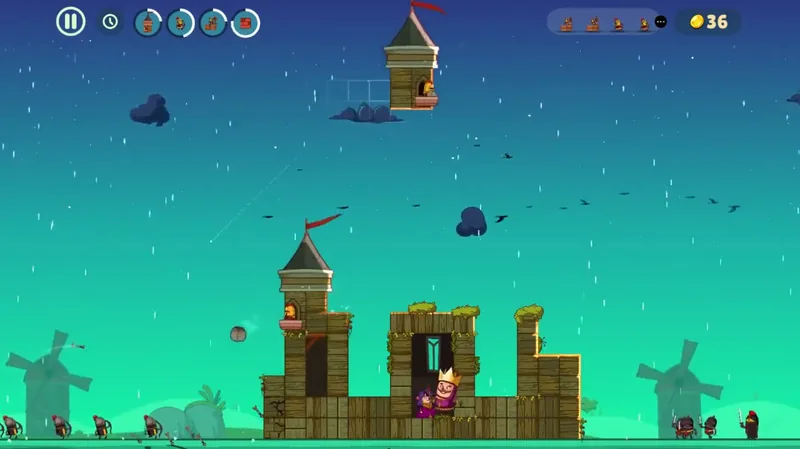
Enemies arrive after a wave banner. In Kingdom 1, dark-armored soldiers with swords walked in from the left and right edges; in Kingdom 2, a line of red-plumed archers came from the left while sword fighters came from the right. Red damage numbers such as “-5” pop up over the attackers, and the castle takes damage too: in Kingdom 2, arrows stuck out of its left wall and its blocks were cracked.
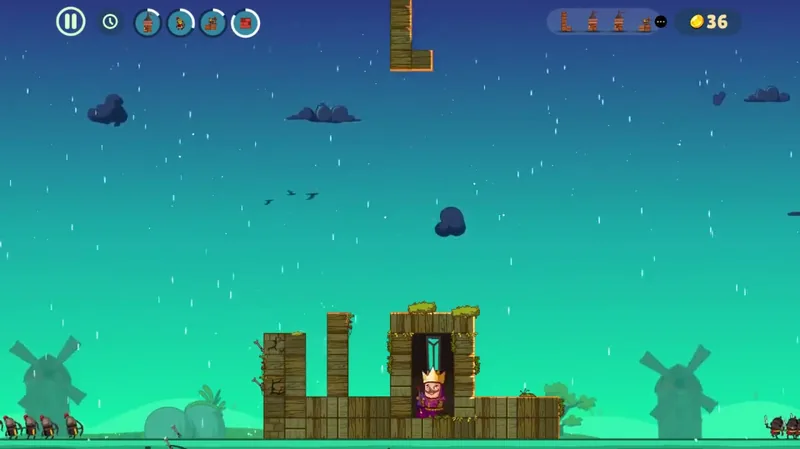
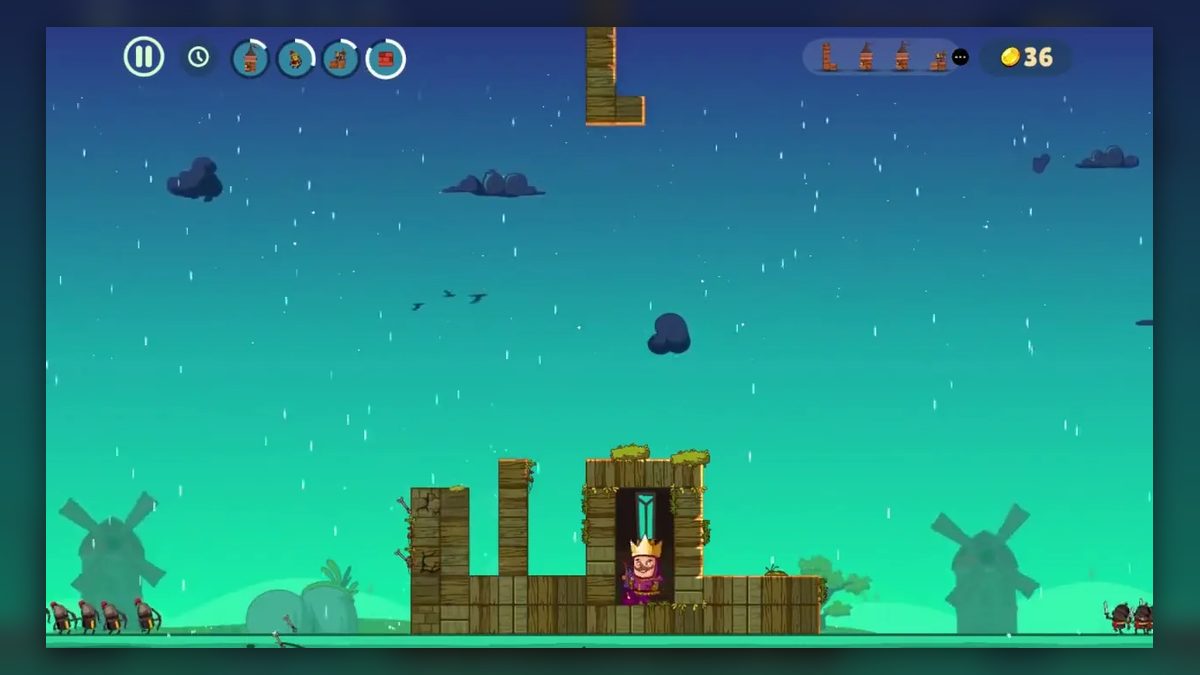
When the waves begin, four round icons appear next to the pause and clock buttons, showing a turret, an archer, a launcher on a block and a red brick. Each has a white ring around its edge, and the rings are at different lengths from one moment to the next. At one point the red-brick icon grew larger inside a bright ring while an L-shaped piece was falling.
Desert to windmills, then unit cards
The scenery changes with each stretch of play. The build in Kingdom 1 happens in daylight, with tutorial tips on screen. Just before the first wave, the defenders are in their places and red damage numbers pop up over the training dummies on both sides of the castle.
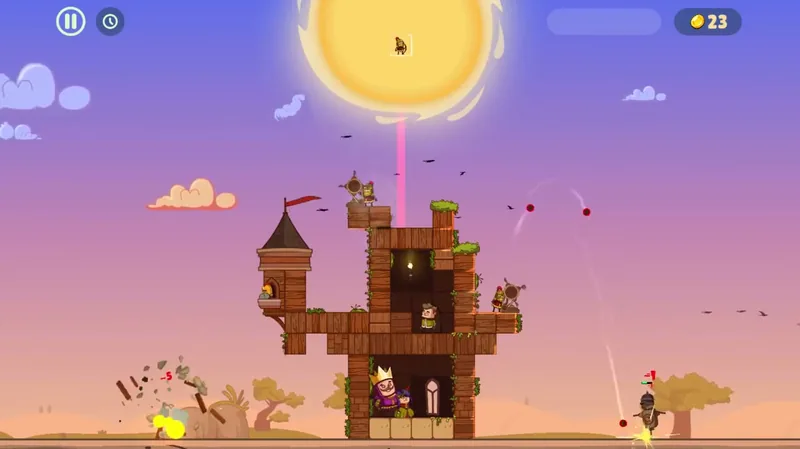
The first wave turns the desert into a teal night with dark clouds, and the round icons line up beside the pause button as the “WAVE: 1” banner crosses the castle. Daylight returns with the win.
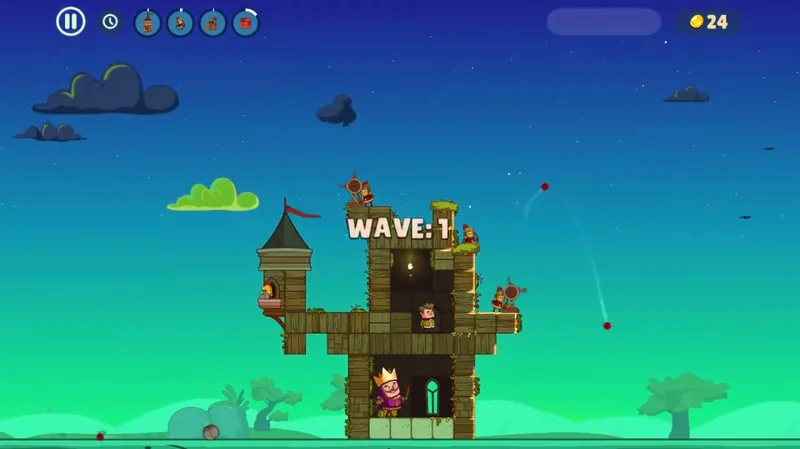
A short sequence follows the win. A tan stone tower with a red pointed roof comes down from the top and settles on the castle under a red flag, then the whole castle glows gold, with coins on its blocks. That step paid more than the rest of the level combined: the coin counter went from 33 to 107 before the “VICTORY!” screen.
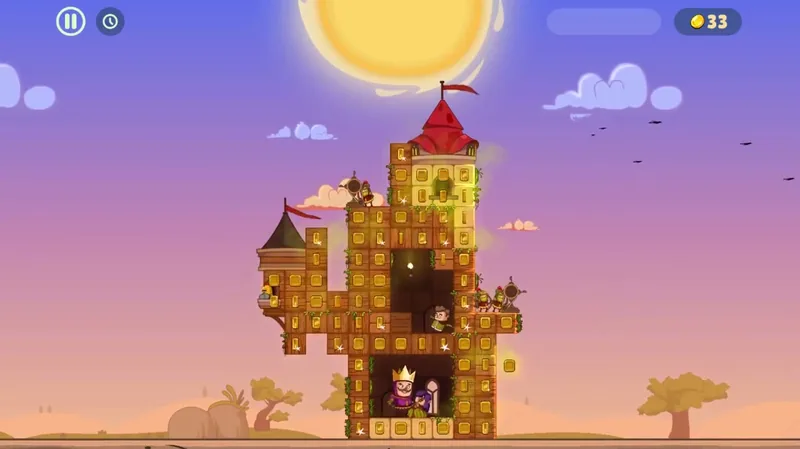
Kingdom 2 changes both the setting and the starting point. It opens among windmills under a purple dusk sky with a setting sun. Instead of two bare posts, the king stands in the lower middle of a low wooden platform that rises two blocks high at the left and right, and the first queue shows three straight bars and an L-shape.
Rain falls once the round icons appear, and enemy archers join the attack from the left. The “WAVE: 3” banner here is red, where the one in Kingdom 1 was white.
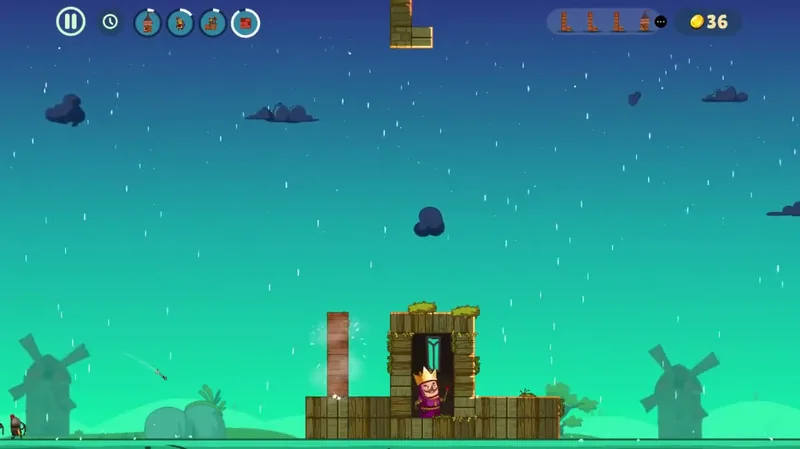
Between battles there is a light layer of the upgrades and other systems outside the puzzles. Coins come from the levels, rising as rooms close and creeping up during the waves, and between the map and the unit screen the total dropped from 128 to 28 while an archer was in production. Purple gems sit beside the coins on the victory and menu screens, and on the menus both counters have a “+” button.
The “VICTORY!” screen shows a “Coins:” total beside an orange “X2” button marked with an “AD” play icon. On the left, a character leans on a chest above a partly filled bar labeled “Reward”.
Next comes a throne room, drawn in full with curtains and chandeliers over a red carpet, where the king sits on his throne. A “ROYAL TAX” card offers a pile of coins worth 21, with a “CLAIM” button and an “AD” “X2” button, while the advisor explains, “Here you can collect the royal tax.” Claiming added the 21 coins, and the card switched to a countdown reading “1h : 59min” with a “Next” button below.
A wooden chest then appears alone on a teal screen, with small wooden pieces flying out of it. From then on, the top bar has a chest button with an “AD” play icon next to the gem and coin counters.
The map shows the kingdoms as islands above a “Play” button. Kingdom 1 shows its finished castle and Kingdom 2 is the large central island with the king’s portrait, while Kingdom 3 and Kingdom 4 are grayed out. A row at the top shows the piece stock, an icon for each kind of piece with a count beneath, and a gear icon for settings is tucked into the upper-left corner.
Seven round tabs run along the bottom. The three on the left show blocks, a cannon and a helmet, each with a yellow “!” badge. The crossed swords of the map sit in the center, and a flask-like icon and a throne come before a padlock at the end.
The helmet tab holds the units in a 3-by-4 grid of 12 slots, where the king and the Archer appear in color next to six grayed-out figures and four empty slots. The Archer card pairs an empty 0/10 bar with an “UPGRADE” button marked 150, and its production countdown gave way to a “Collect” button. After that, the archer count in the stock row went from 4 to 5 with a “New” tag, and the buttons read “UPGRADE” 150 and “Produce” 100, each with a gray coin-shaped icon.
The cannon tab does the same for buildings: the turret and the Potato Launcher appear in color, and the rest are grayed out, a cannon among them. The Potato Launcher card shows “UPGRADE” 50 and “Produce” 150, and the launcher icon in the stock row also has a “New” tag.
Ads show up only as offers, each marked with a small “AD” play icon. Two of them are “X2” buttons, one on the victory screen and one on the royal tax card, and the third is the chest button in the top bar.
Falling blocks that double as a fortress
The pairing works to much the same clever effect as a silhouette-art defense game released on Steam a few years ago, another design with its tower in the middle of the screen. Here the castle stands at the center while enemies close in from both edges. The queue that hands out bars and L-shapes also delivers the defenders, so building and defending draw on one stream of pieces.
Each half also gives the other something. Tetris has the appeal of stacking toy blocks, and dressing that up as building a castle makes the defense a lot lighter. In return, the castle gives Tetris’s straightforward rules a bit more strategy and logic.
Tetris is a very basic, widely known mechanic, and pairing it with play that leaves room for skill makes the result come across as deceptively simple. In Kingdom 1, the first piece is a straight bar that becomes the roof over the king’s head, and by the first wave a turret sits on a ledge, with one launcher on a wall top and another on the right ledge.
On top of a core almost everyone knows, the fitting upgrades and other systems outside the puzzles and the lively look and animation give the game a very interesting character. The hand-drawn side view stars a big-headed king in a purple robe and gold crown, with vines and grass creeping over the wooden blocks, and residents move into the rooms the player closes, changing spots and poses inside them. Night falls with the first wave, the finished castle glows gold, and even the royal tax gets a fully drawn throne room.
Unseen in play: a lose screen or gem use
We have no criticism of Castle Master TD, only a few things that never came up on screen. No lose screen appeared, so what happens if the walls fall is not shown, and Kingdom 2 was still mid-battle when play stopped. How many waves a kingdom holds is not shown either.
The four round icons and the clock button come with no explanation, and the “Reward” bar on the victory screen does not say what it fills toward. Nothing on screen uses gems or reveals what the chest holds, and what the “AD” buttons lead to is not shown.
Stacking shapes, placing archers, tending cards
The building half comes down to sliding a falling shape into a gap and turning it until it fits, except that the gap is a wall or a room for the king. Castle Master TD sits in the same family as games like block blast, and here every shape that falls from the top becomes part of a castle.
The defense half starts with placement, since a turret or an archer drops into position like any other block, both before the first wave and while enemy lines close in from both edges. Between kingdoms, the player reads unit cards, waits out production timers and collects a royal tax on a countdown.
Verdict
Castle Master TD takes rules nearly every player already knows and builds a siege on them, and each half lends the other something: the stacking takes weight off the defense, and the castle puts some thinking into the stacking. Nothing about it looks elaborate, yet the plain parts are put together with real skill. With a castle that comes alive as it grows and a light round of upgrades between kingdoms, that familiar core ends up with a very interesting character.