Data Diggers Review: Mined Data Pays for a Robot Army
USB sticks drain purple data blocks into coins that buy a robot army: our Data Diggers review of a portrait RTS with a computer-data theme.
Game at a glance
Data Diggers
7/ 10
Our score
Another portrait RTS, after several straight weeks of decent ones.
In this article6 sections
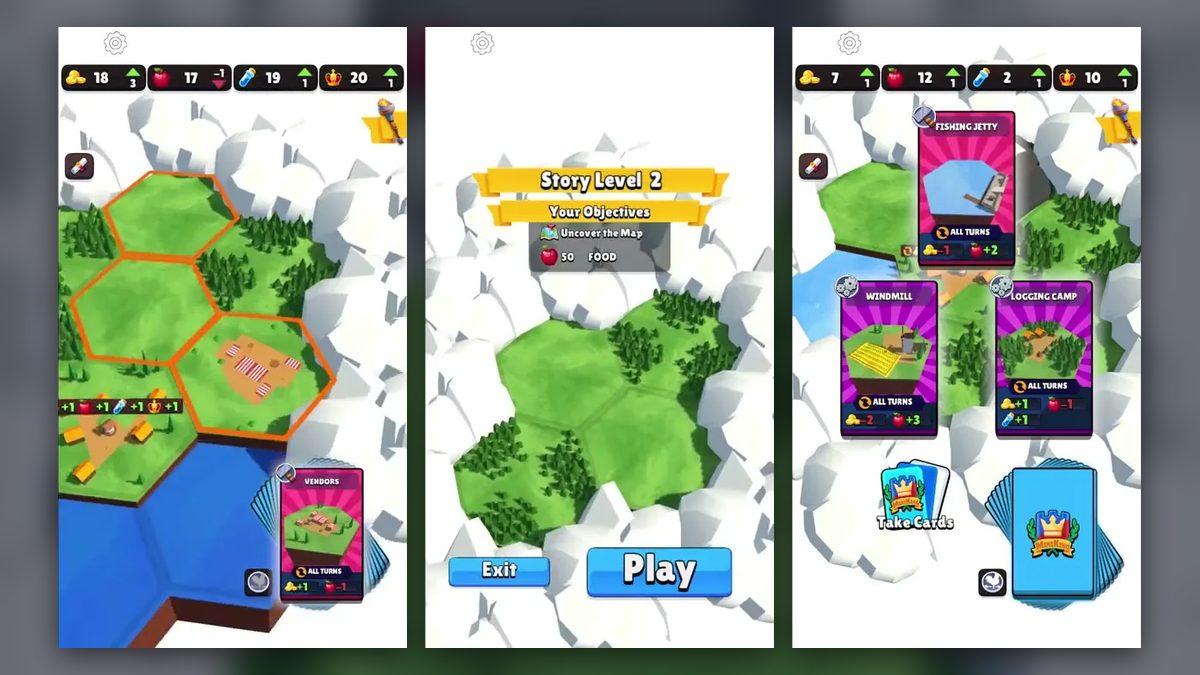
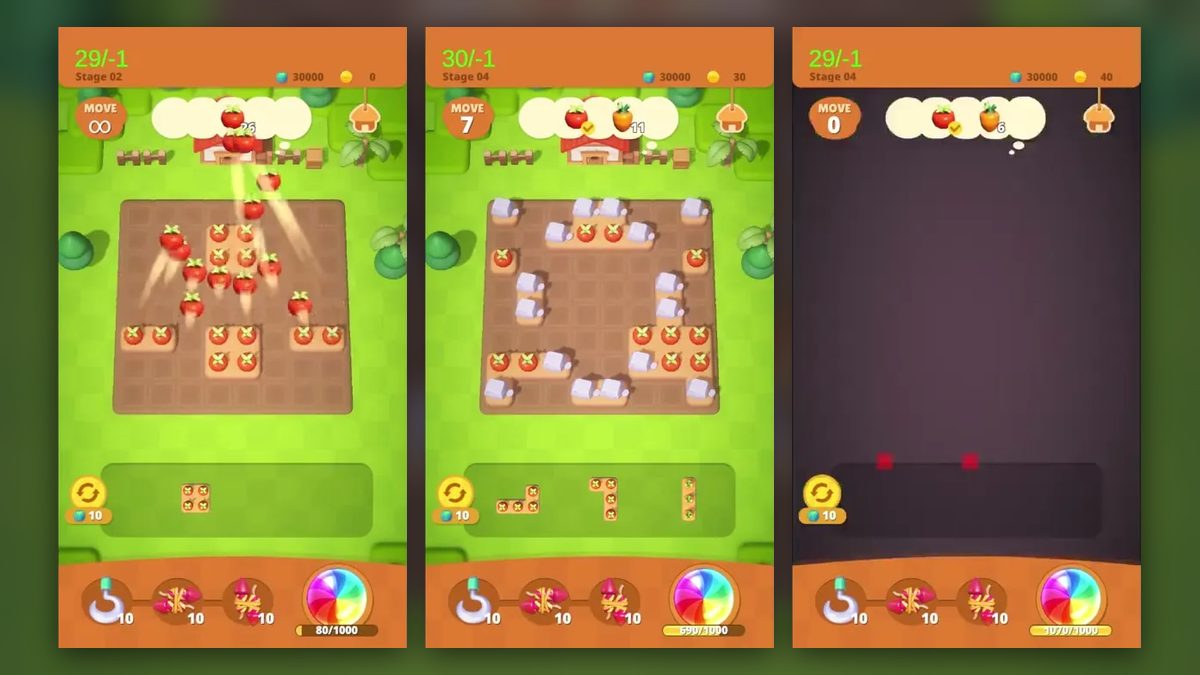
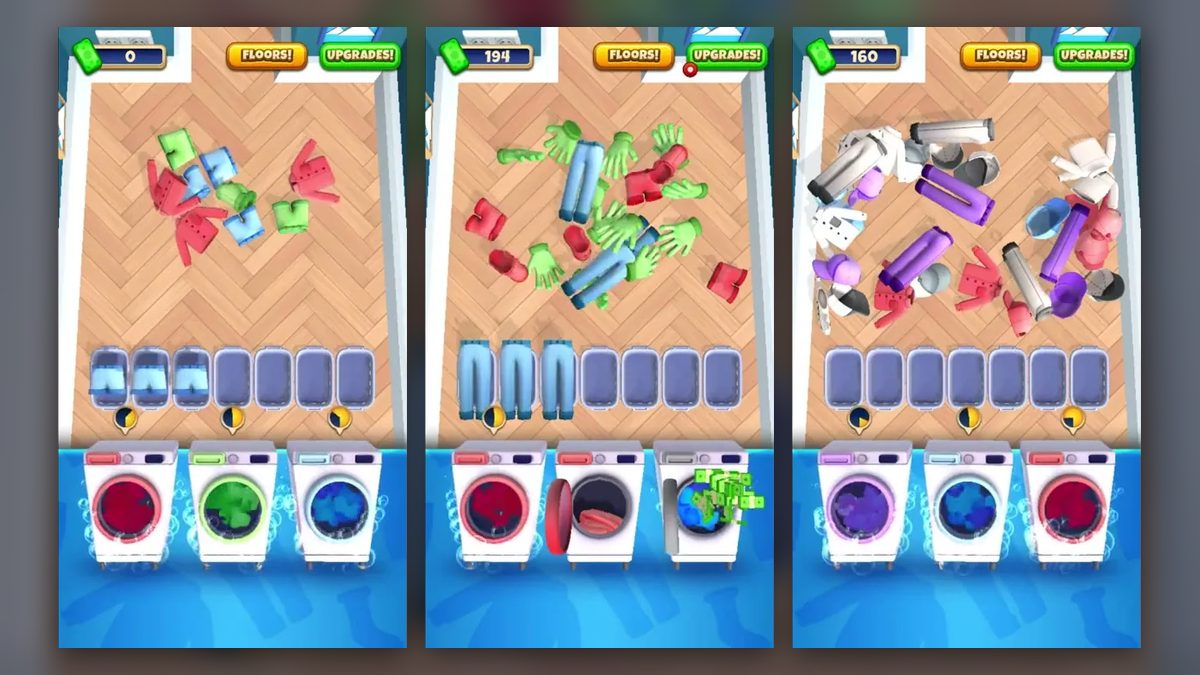
Real-time strategy on phones has mostly meant games like clash royale. Data Diggers is another casual real-time strategy game for mobile, played in portrait and built on a computer-data premise. It pairs the fighting with a data mine: USB sticks drain purple data blocks and carry the data to a server pad, which pays out the coins that buy the army.
We found its mix of mining and war fun, and there is a touch of Red Alert to it. Control is the part it has in common with other strategy games on phones. There is no real-time command over the troops, and once bought, the robots walk to the fight on their own.
Draining data blocks with USB sticks
No goal text or timer appears in the two stages we played (the end of one and most of the next), and there is no move counter or fail screen either. The map has two halves: data is mined at the bottom, and the fighting happens at the top, where the enemy holds a red base. At the end of the first stage a blue robot reached the red building. A pop-up announcing a new robot came next, and then a new layout.
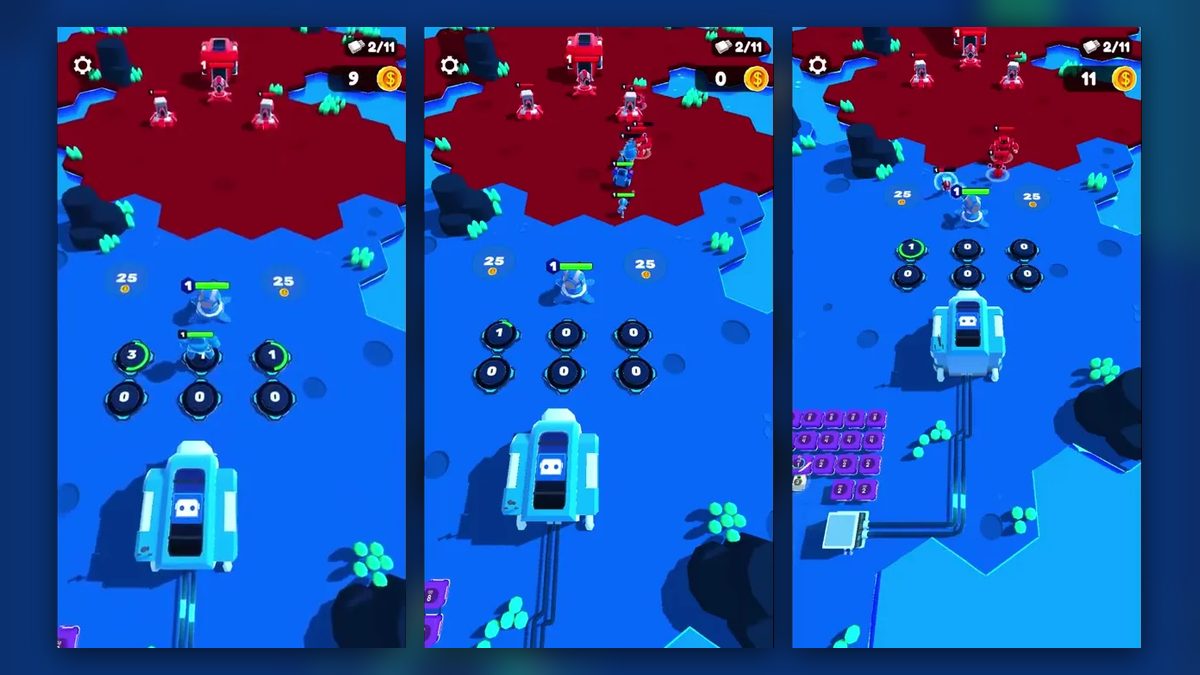
The view moves between those halves. Down in the data field, a grid of blocks sits beside a light-blue server pad, and a dark cable with glowing cyan segments runs from the pad up to a robot factory. Spawn pads stand in front of the factory, with the enemy’s territory beyond them. The world is low-poly 3D on bright blue ground, dotted with teal crystal plants and dark rocks and seen from an angled top-down camera.
Data Diggers gameplay hangs on one loop. USB sticks sit on tiles next to data blocks and drain them while green arrows and rings mark the download, and tinted sticks then travel to the server pad, where coins burst out. Those coins pay for more sticks and for an upgrade called Automate USBs. They also buy robots, which appear in front of the factory and walk into the red base to fight.
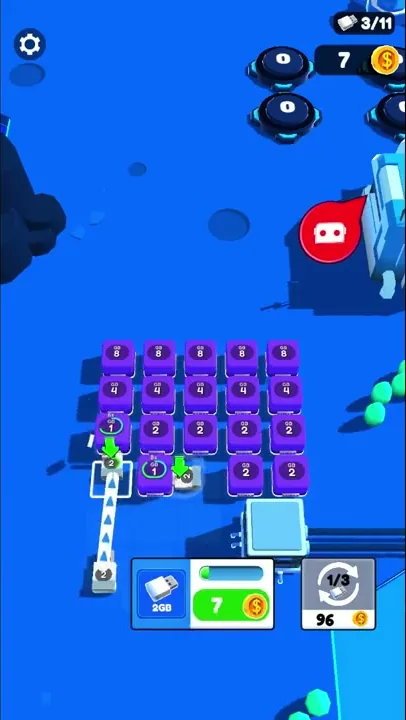
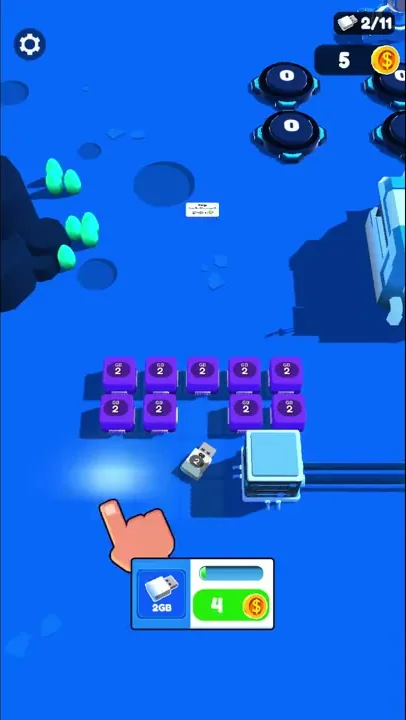
A cartoon hand teaches the controls, which come down to a few taps. It first points at the 2GB card at the bottom of the screen, where new sticks are bought, and a dotted arrow then runs from a stick beside the card to an outlined tile on the grid to show where to drag it. A second hand points at a button under an “Automate USBs” hint, and in the Robots panel a tap on a green Buy button adds a robot. Nothing on screen steers the robots: they head for the red base by themselves.
The data blocks are purple cubes in an evenly spaced grid, each carrying a number with a small label above it; the values are 2, 4 and 8. When a stick parks beside a block, a green ring appears and the number counts down: a 2 drops to 1, and a 4 goes to 3 and then 2. An emptied block vanishes and leaves a bare floor tile behind.
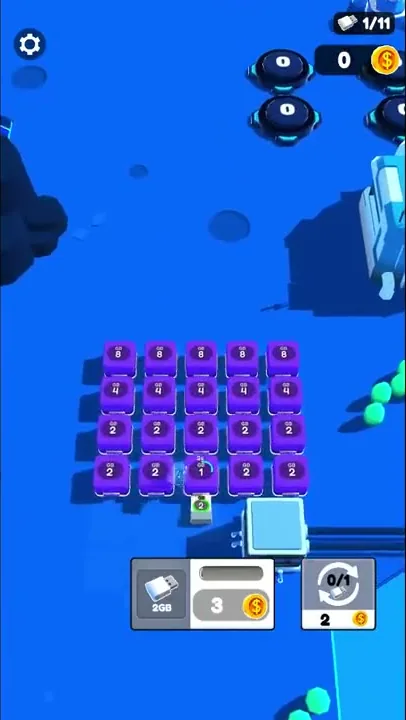
The sticks carry number labels of their own: a 2 on the early ones and, later in the second stage, a 4 on one that drains a 4 block. Green downward arrows hang over them while they work. Some are tinted, and a yellow one makes its way to the server pad.
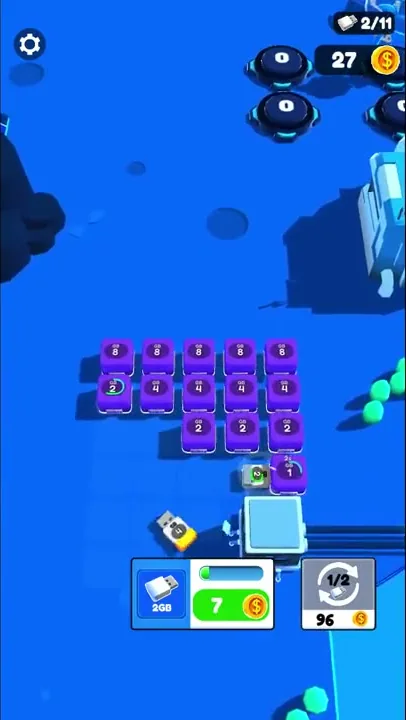
The server pad is a light-blue square beside the grid. Whenever sticks reach it, a spray of gold coins bursts out and the coin total in the upper corner of the screen climbs.
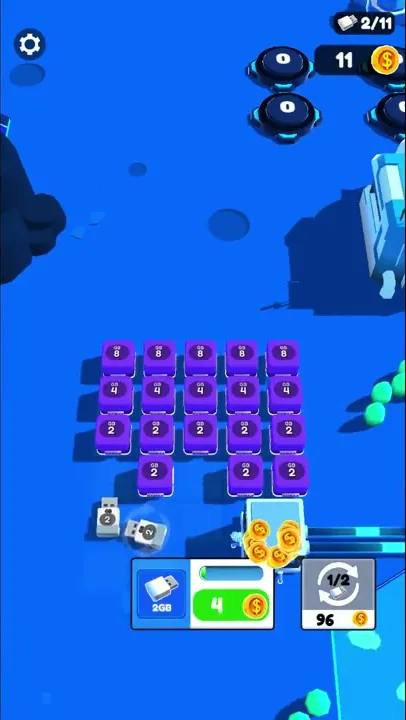
The second stage opens on a full grid of fresh blocks, with the 2GB card priced at 3 coins. The first stick drains a 2 down to 1 and clears it. Each stick bought after that raises the card’s price, to 4, then 7, and later to 15, while the Automate USBs button starts at 2 coins and later asks 96. On the battle side, the second robot card’s Buy button takes 16 coins and raises its owned count from 0 to 1, and soon robots from the first three cards are on their way to the red base.
The robot factory is a large blue-and-white building with a robot face. Six round dark pads stand in front of it in two rows of three, each showing a number, and after a purchase a pad’s number rises and a green ring fills around it; robots then stand on the pads. A blue unit with a badge reading 1 and a green health bar waits ahead of them, and now and then a red speech bubble with a white robot face pops up beside the factory.
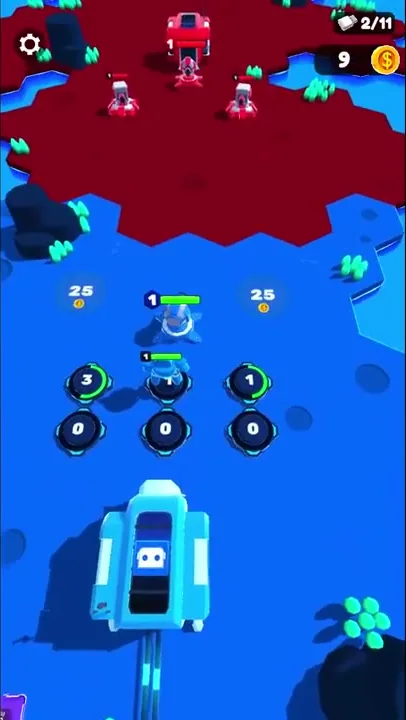
From the pads, blue robots with level badges and green health bars walk up the map into the red territory. They attack the red building and the red turrets, and in the second stage a whole column of them pushes into the base.
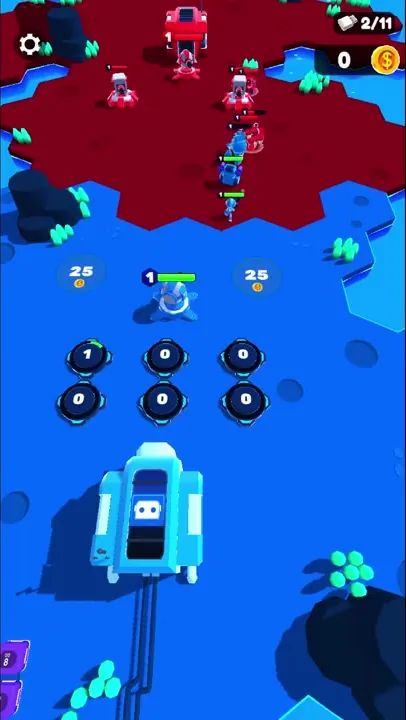
The enemy’s dark red hexagonal field holds a red building with a “1” badge, and in the second stage two red turrets flank it. Red units with health bars walk out of the base and close in on the blue unit in front of the pads, but no loss screen ever appears.
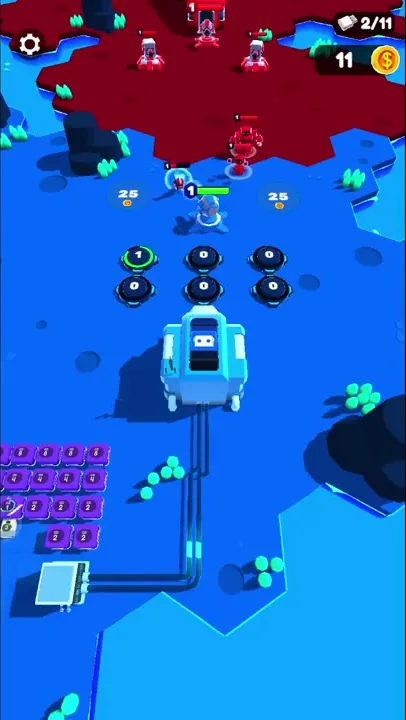
Bigger data blocks and a reinforced red base
The first field is small. Only two rows of blocks labeled 2 are left, the lower one with a gap, and a tutorial hand points at the 2GB card. At that point the red base is a single building with a “1” badge, and the Robots panel offers three robot types, with three more behind padlocks.
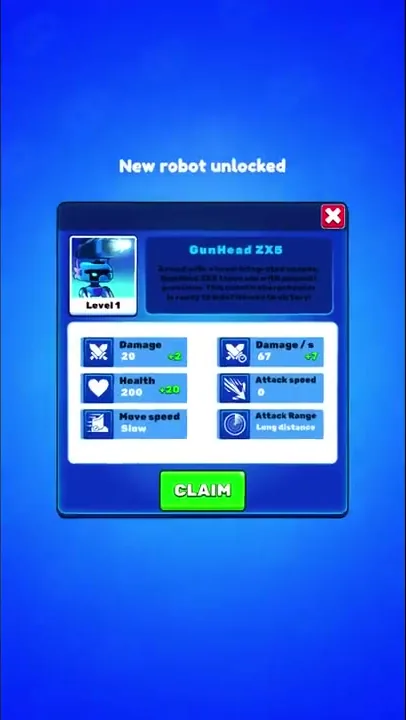
Between the stages, a “New robot unlocked” pop-up presents GunHead ZX5. Its portrait sits beside its name and a short description. Below them are six stat tiles, among them Damage 20, Health 200, Damage / s 67, Move speed Slow and Attack Range Long distance, with small green plus figures next to some values, and a green CLAIM button at the bottom. Afterward, the fourth robot card, which had been padlocked, shows Upgrade and a Buy price of 12.
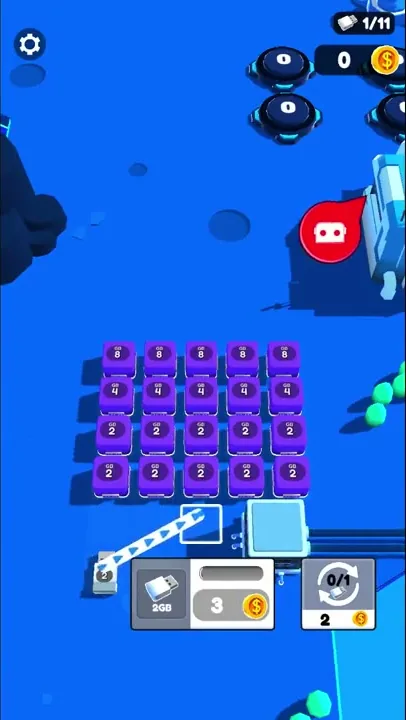
The second field is bigger and holds higher values: a grid five columns wide and four rows deep, with 8s on top, 4s below them and two rows of 2s at the bottom. The enemy base gains two red turrets beside its building. The counters start over, with the USB counter back at 0/11 and every robot card’s owned count back at 0.
Late in the stage, the two rows of 2s are gone and sticks are working along the row of 4s, while all five 8s sit untouched. The red base is still standing at that point.
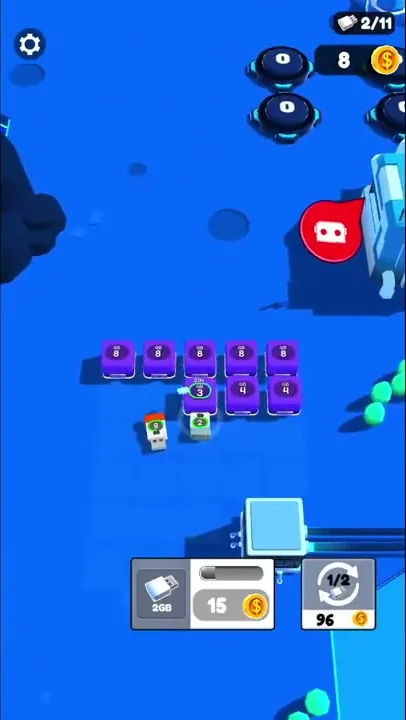
Coins are the only currency on screen, counted just below the stick tally in the upper corner, and every purchase uses them. The 2GB card shows a USB icon and a progress bar beside its price, which turns green when a stick is affordable and gray when it is not. Next to it, the Automate USBs button shows circling arrows and a USB icon above a fraction and a price, and the second number of that fraction always matched the stick count. That count is the USB icon above the coins, followed by a figure out of 11, and more than once it fell by one with no sale on screen.
The Robots panel slides up over the battlefield, with a red close button. Its six cards sit in two rows of three, each showing a portrait marked “LVL 1” with the number owned in the corner. Unlocked cards carry a blue Upgrade button and a green Buy button priced at 4, 16, 14 and 12 coins, and a card’s art and Buy button go gray when there aren’t enough coins. Upgrade was never pressed, and two cards stayed padlocked after GunHead ZX5 joined.
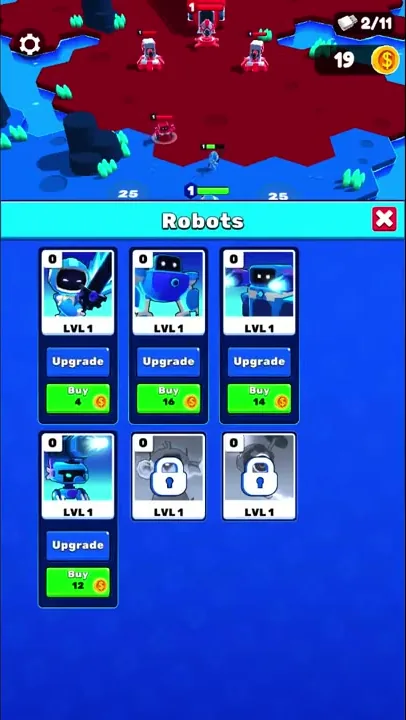
Two round ground markers, each showing 25 and a coin icon, flank the blue unit in front of the pads, and neither was bought. No ads or offers appeared at any point, and no shop or lives system showed up in either stage.
Data mining paired with a robot war
The way Data Diggers presents its gameplay is a lot of fun, and so is the way it pairs a data-mining field with a robot war. The computer-data premise runs from the purple blocks and the sticks sold as 2GB to the server pad, whose cable feeds the robot factory. Coins from that pad become robots in the Robots panel, and those robots take the fight into the red base, so mining and fighting form one chain. We also got a bit of a Red Alert feeling from the game.
Data Diggers is also one more decent portrait RTS. It continues a run of them that has now lasted several weeks.
Robots that walk to war without orders
We haven’t yet seen a mobile RTS that gets controls right. Real-time commands and micro (handling single units moment to moment) don’t work well on a phone, and most mobile RTS games are built like Clash Royale. Data Diggers doesn’t fix this either: the player’s taps go into buying sticks and robots, and once a robot leaves the pads, it walks to the red base on its own.
Warcraft’s arrival on phones may start a wider wave of mobile RTS games. Whether better answers to the control problem turn up over time, we can’t say yet.
Tending a data mine to fund an army
Most of the work here is economic. The player buys sticks and drags them onto blocks, then decides whether the next coins go to another stick or to a robot. The battle at the top of the map then plays out on its own.
That leans toward a taste for growing a small resource pipeline and spending what it makes, dressed up as USB sticks and server pads. Steering units through a fight is not part of it: the only order a robot gets is its purchase.
Verdict
Turning mined data into a robot assault makes for a fun pairing, and the computer-data premise reaches the cable feeding the factory, with echoes of Red Alert along the way. It is one more entry in the recent string of portrait strategy games. Like the rest, it leaves the question of how to command troops by hand on a phone unanswered.