Jigsaw Quest: A Fast-Paced Jigsaw With Great Handling
Jigsaw Quest gives the jigsaw puzzle a limited grid of slots for spare pieces, turning it into a fast puzzle about managing space.
Game at a glance
Jigsaw Quest: Picture Sort
- Developer
- BAKLANOV OLEKSANDR OLEKSANDROVYCH
- Platforms
- Android
In this article3 sections
Building on our framework for game innovation, we regularly pick out well-made examples of new ideas in mobile games, so the framework is easier to grasp through real cases. This time the pick is Jigsaw Quest.
The blend here isn’t obvious at first. At its core Jigsaw Quest is a jigsaw puzzle, and it borrows from tile matching games, where you tap tiles into a small tray and lose when it fills up: it takes that cap on how many pieces you can hold and applies it to loose jigsaw pieces. The result is a fast-paced jigsaw game.
How it plays
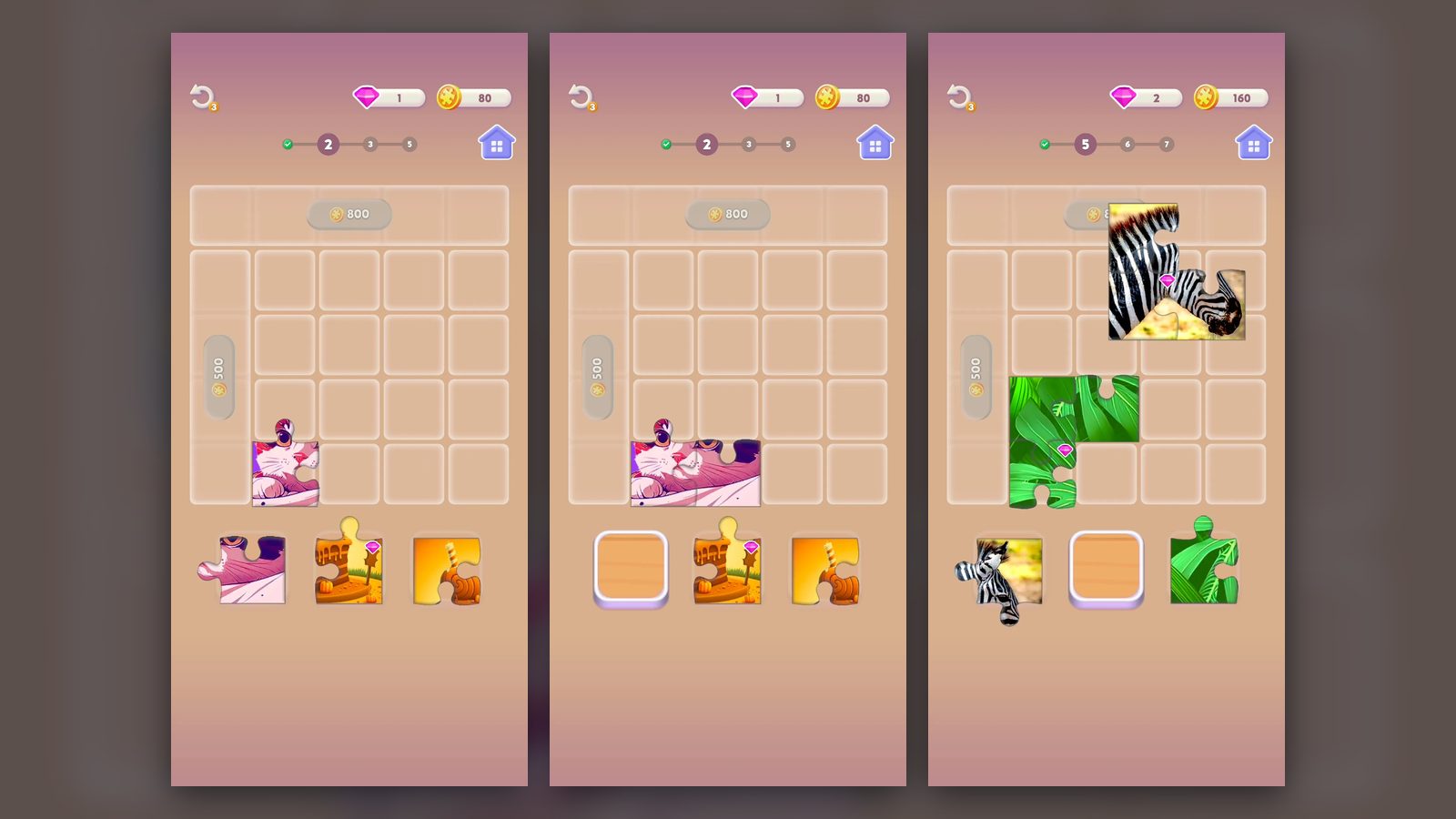
First, a gameplay screenshot:
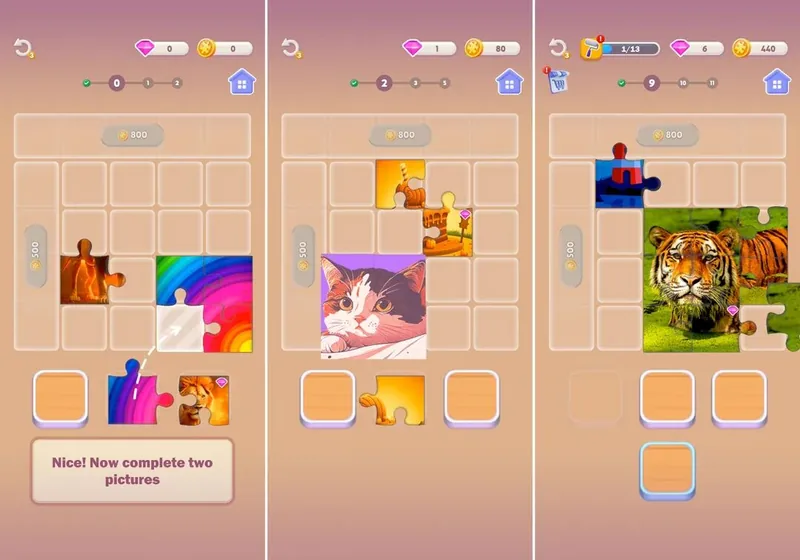
Here’s how it works:
- The core is still a jigsaw puzzle, but with a few changes:
- On top of the fun of piecing a picture together, it adds a second kind of fun: managing space. As the levels go on, each picture needs more and more pieces, and the slots in the play area run very short. Deciding where to put the pieces you can’t use yet, so you can hold out until the new pieces you need show up, is the central challenge.
- Because the pace is fast, the game drops the end-of-level results screen and the step of moving on to the next level. Finishing one level takes you straight into the next, so you stay in the flow.
Put together, play runs from one picture straight into the next, with the slots getting tighter as the pictures grow.
Fitting Pieces From a Three-Slot Tray
Play in Jigsaw Quest is drag and drop. A piece comes out of one of the three slots under the board and goes onto an empty cell. The opening tutorial guides the first drag with a hand pointer and the line “Place the piece on the board,” then shows “Nice! Now complete two pictures,” with dashed arrows running from a tray slot to the target cell.
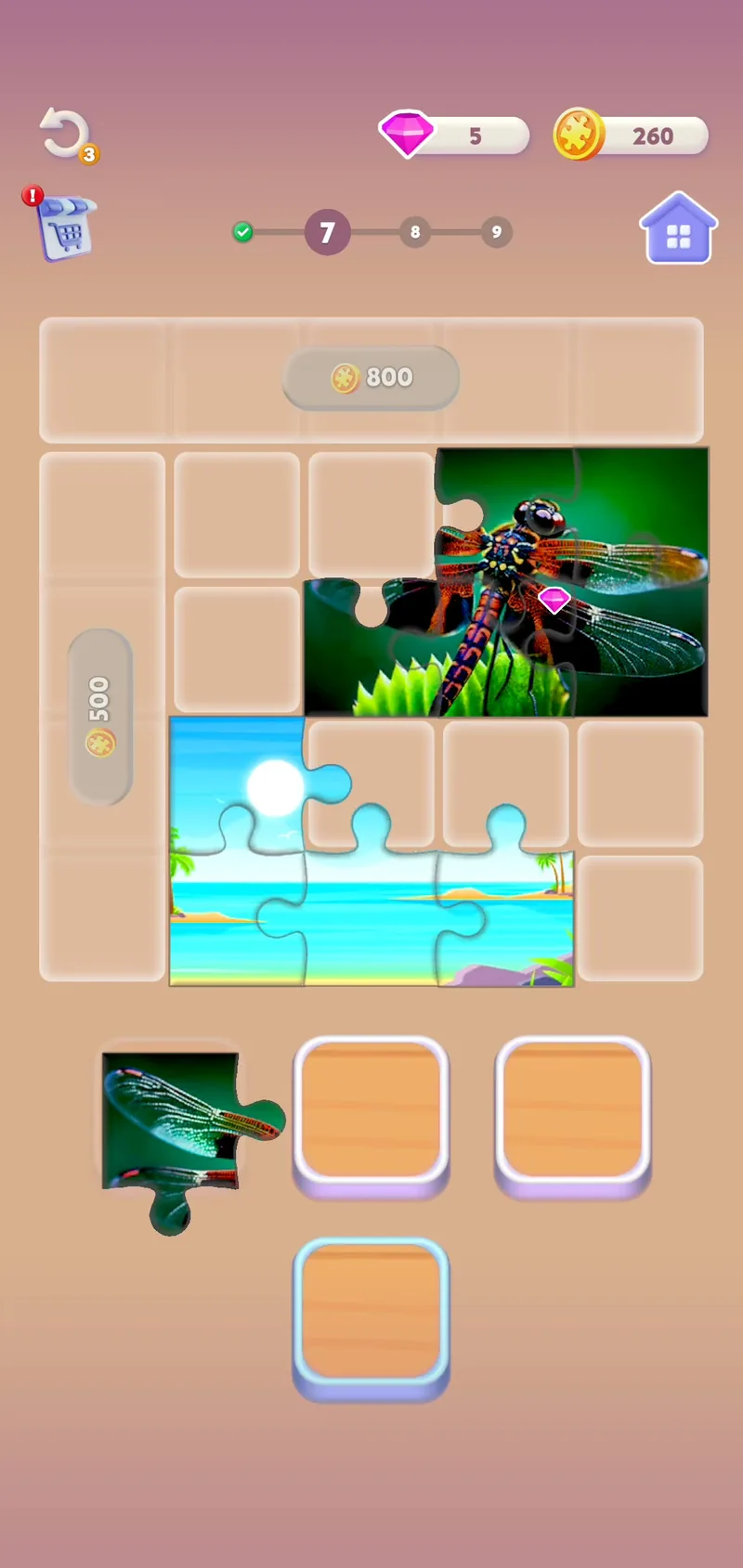
The board is a 5x5 grid with only part of it open. The top row of five cells carries an 800-coin label and the left column of four cells a 500-coin label; both are faded and empty, leaving a 4x4 block of 16 cells for play. A circular undo arrow with a badge reading 3 sits at the top left, and a gold coin counter, with a pink gem counter beside it, sits at the top right.
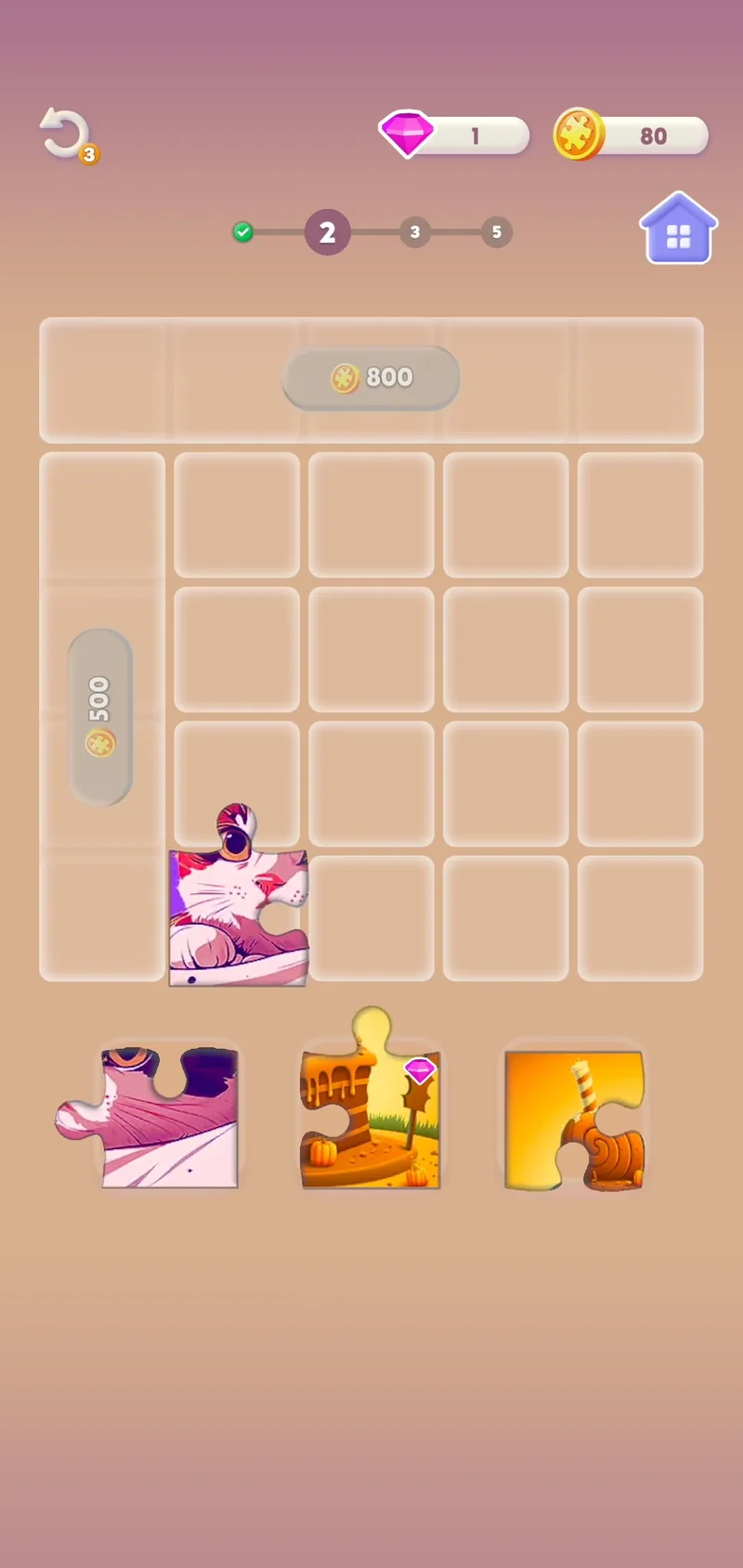
Each piece fills one cell, with tabs reaching into the cells around it, and it can be dropped on any empty open cell. Pieces that sit in the right places next to each other merge into one image with faint seams. A finished picture shows whole for a moment, then clears and frees its cells.
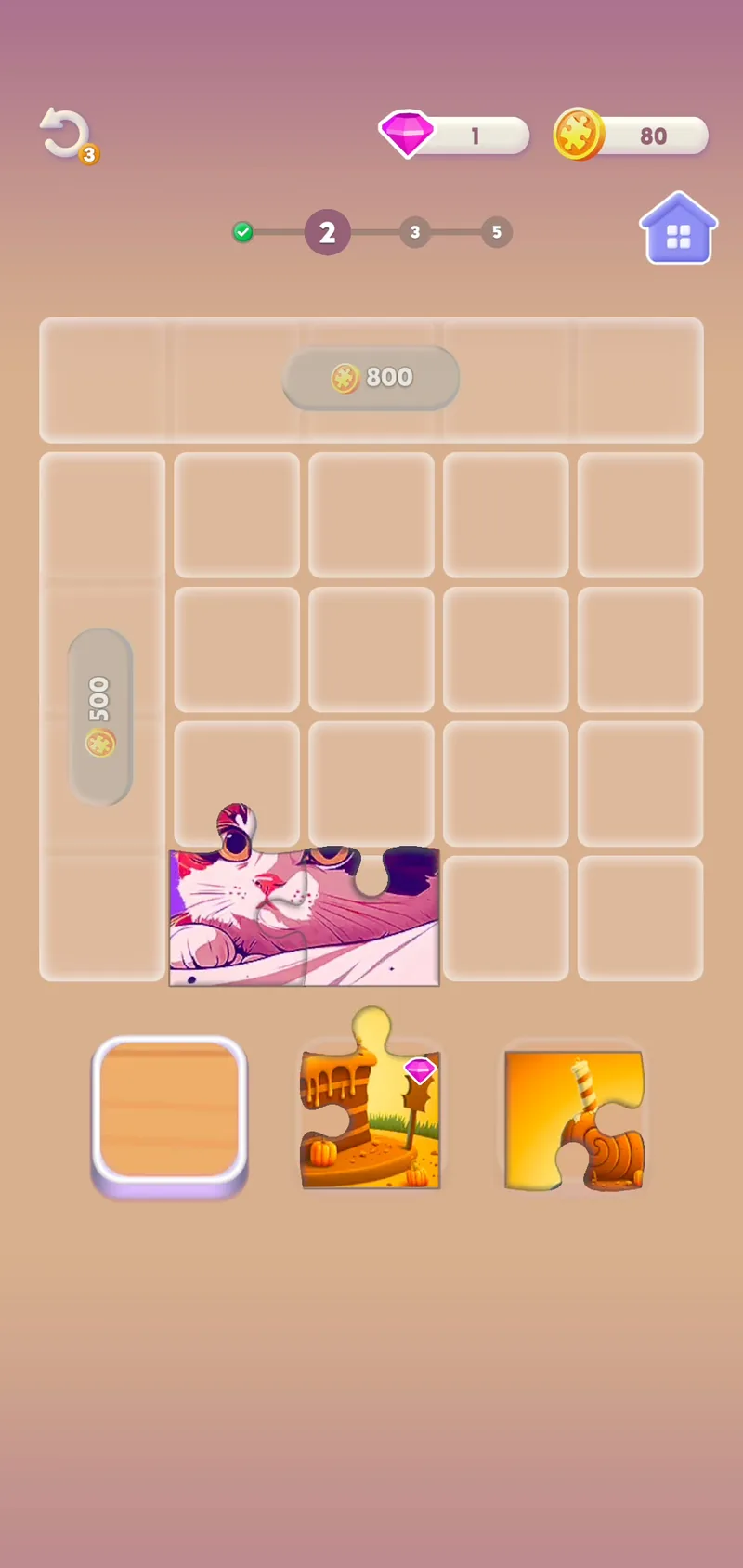
The tray refills in batches. An empty slot shows a raised wooden tile, while a filled slot shows a flat square behind its piece. Once all three pieces have been placed, a new batch flies into the slots from the lower left. Pieces from two or three pictures share the board at the same time, so parts of different images sit side by side.
Some pieces carry a small pink gem in one corner, such as a lion piece in the tutorial and a zebra piece and a leaf piece in Level 5. When a picture clears, the gem counter rises by the number of gems it held. The lion added one, and the monstera leaves, with two gems, took the counter from 3 to 5.
Pieces already on the board can be picked up again, alone or as a joined group. In Level 5 a group of three joined zebra pieces is lifted off the grid, partly over the locked top row, and set down one column further right. In Level 8 a tiger piece moves from the top-right cell to the bottom-left open cell, and a lighthouse piece takes the top-right cell.
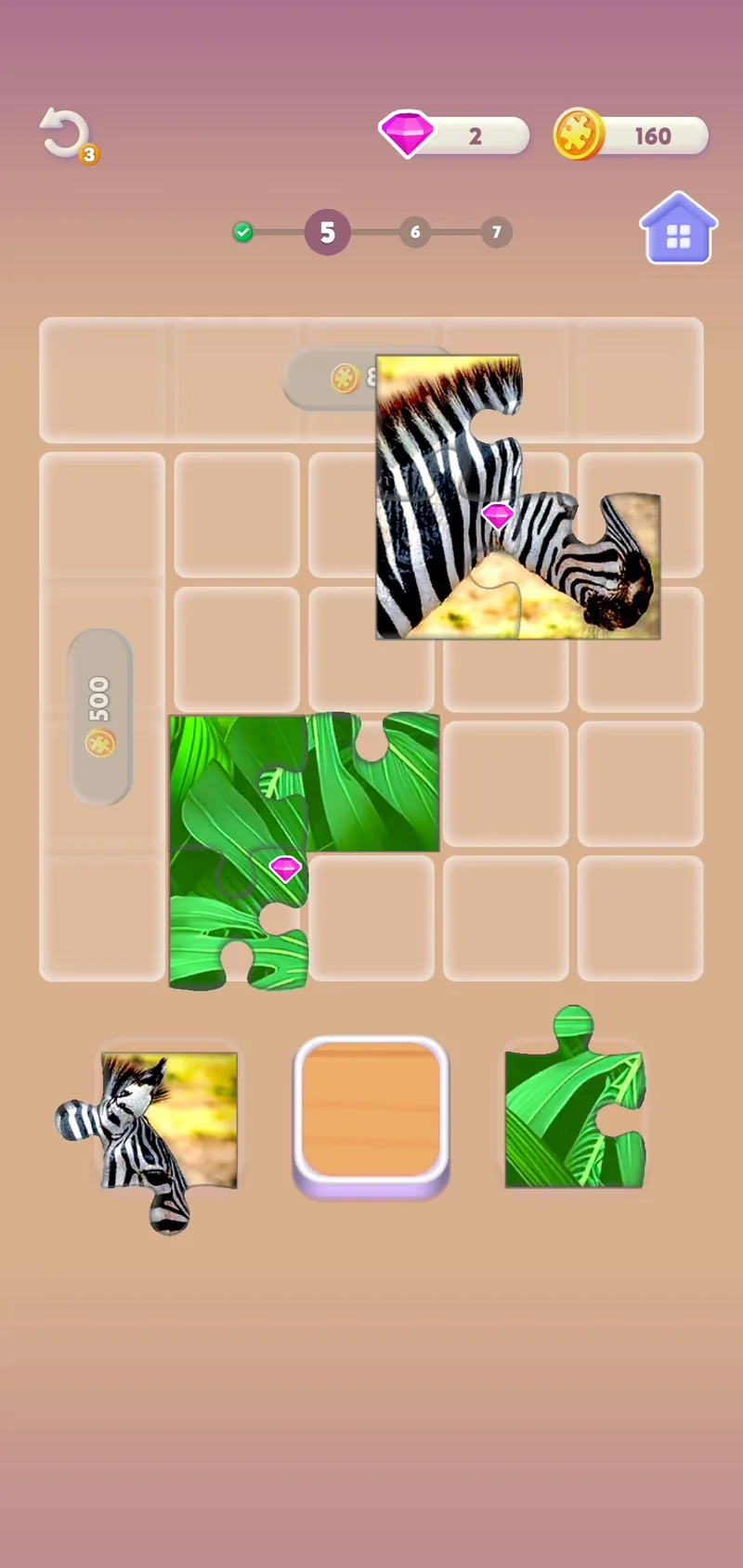
In the levels we played, the pictures grow as the level numbers go up. The first ones are 2x2 squares: a rainbow, a lion, a cartoon cat, a candy scene and a zebra. Monstera leaves two pieces wide and three tall arrive in Level 5. In Levels 7 and 8 the dragonfly, beach and rainbow-stripe pictures are three wide and two tall, and the dragonfly and the beach are built at the same time in Level 7.
The tiger in Level 9 is a 3x3 square, and Level 10 brings more cartoon lighthouse pieces, joining the one placed back in Level 8, along with orange-yellow sunset pieces. The images mix photo-style shots and illustrations, from a lion in flames to the cartoon lighthouse. When the lion finished in Level 1, the level marker moved up to 2.
Two additions show up in Level 7. A shopping-cart icon with a red “!” badge appears under the undo button. A fourth wooden slot with a light blue outline sits centered below the three tray slots and stays there through the later levels.
In Level 8 the board grew crowded. Pieces of the rainbow-stripe and tiger pictures, plus a lighthouse piece, left few free cells, and the board stayed crowded for over a minute. For most of that stretch a hint read “You have all the pieces to complete a picture on the board.” By the time the marker read 9, the stripes picture had cleared and the hint was gone.
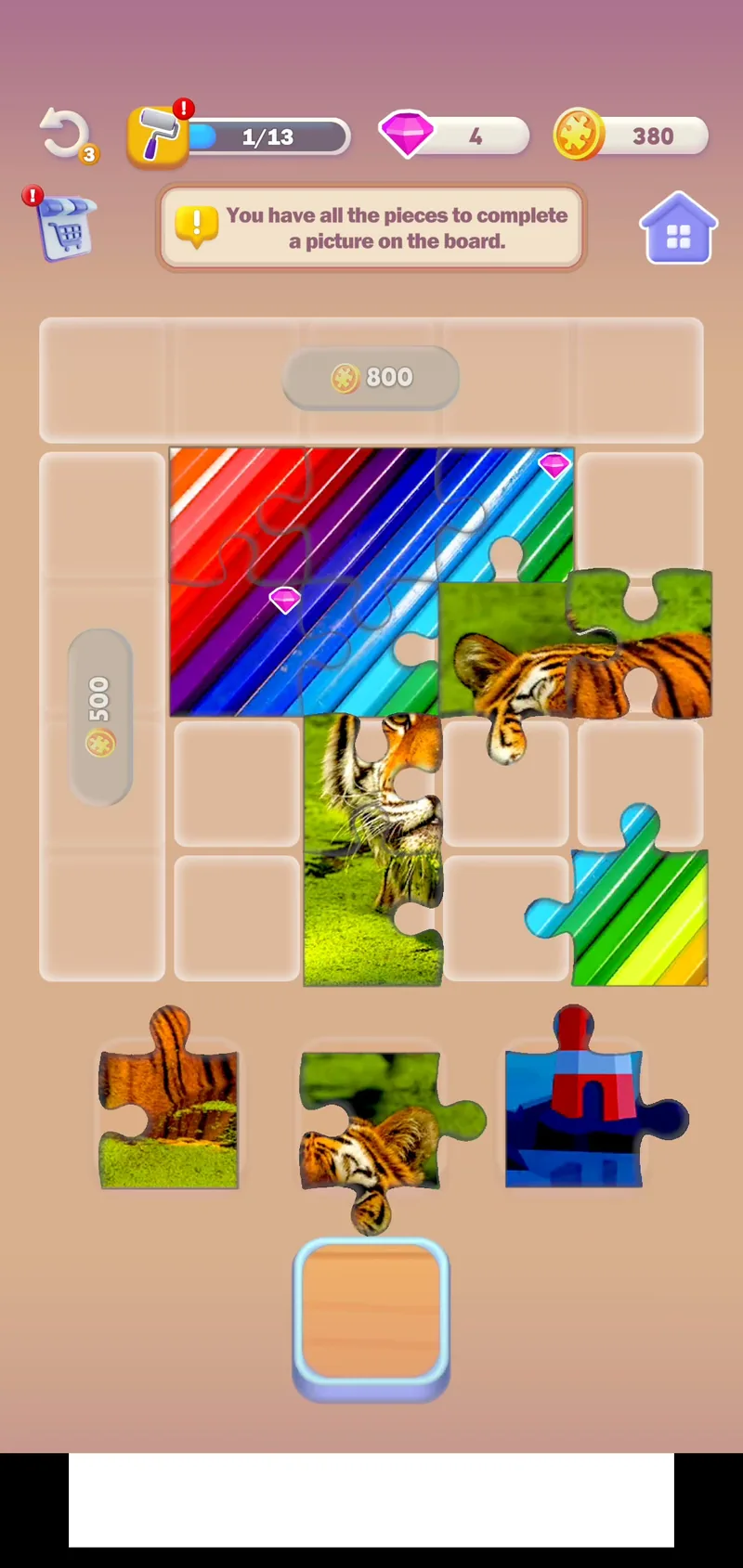
The coin counter climbs as pictures clear: 40 for each 2x2 picture and 60 for each 2x3 or 3x2 one, reaching 440 in Level 9. In Level 10 the 500 label disappears, confetti falls over the left column, and its four cells look like the rest of the open board, with the coin counter now at 30. A lighthouse piece soon sits in the new column, while the 800-coin top row is still locked.
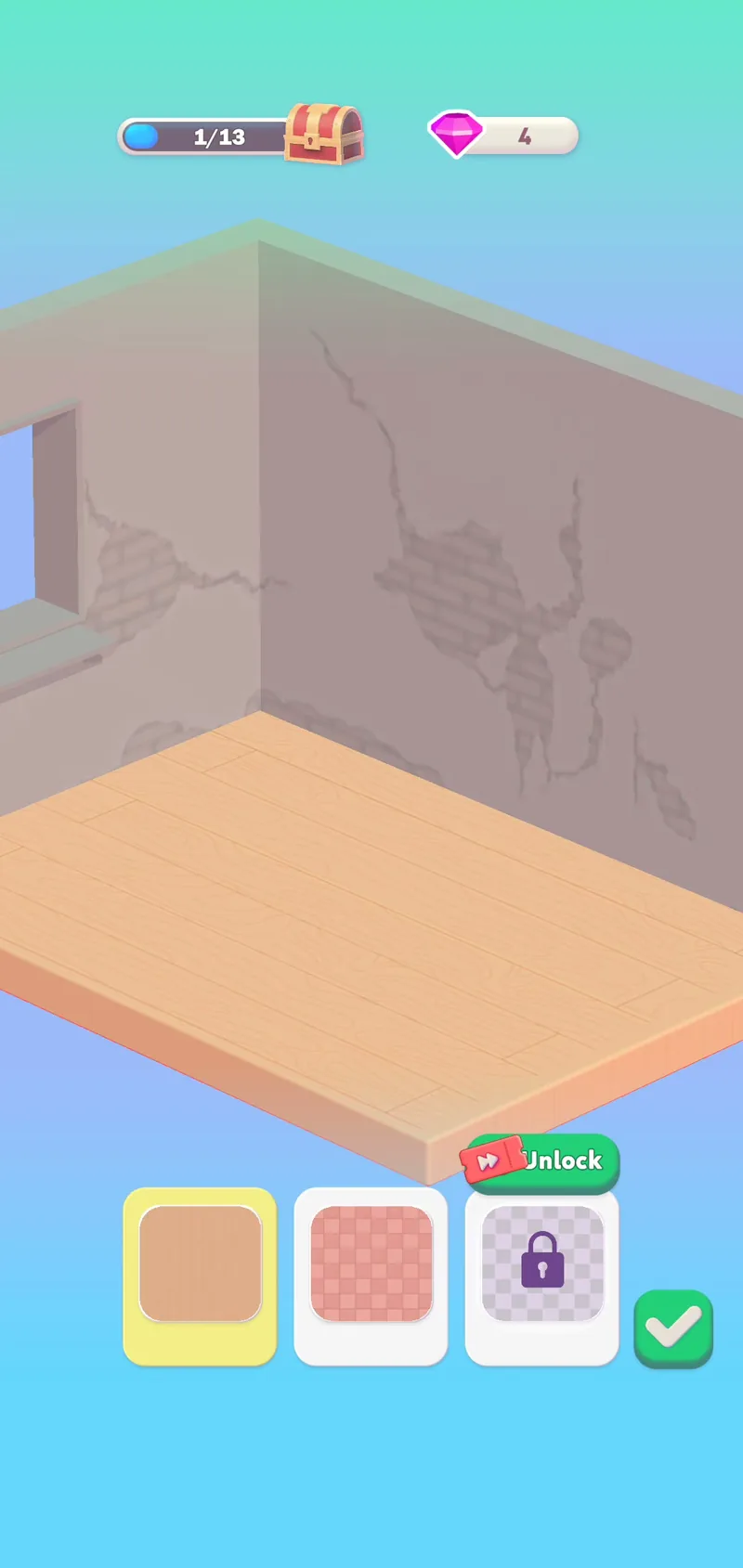
After the beach picture cleared in Level 8, a paint-roller meter reading 0/13 joined the top bar, and a separate renovation screen opened. It shows an isometric room with cracked walls and a window, a progress bar at 1/13 ending in a treasure chest, and three floor choices: wood, highlighted in yellow, a pink checkered tile, and a locked option with a green Unlock button carrying a red ticket icon, next to a green check button. The gem counter read 6 just before this screen and 4 on it, and the top-bar meter showed 1/13 when the board came back.
Starting in Level 8, banner ads for Bingo Blitz run along the bottom of the screen. Their lines include “TRAVEL AROUND THE WORLD WITH BINGO BLITZ” with a Play Now button, and “Blitzy Says HI!” marked Sponsored, with a Play button.
How it rates
The scores, by category:
| Category | Score | Comment |
|---|---|---|
| Core gameplay fun | 7 | Plays pretty well |
| Originality | 6 | A small twist on the formula |
| Art | 7 | Detailed art, a cut above similar casual games |
Overall:
- It isn’t very original, since at heart it plays like other jigsaw puzzle games; the one new source of fun is managing a limited number of slots.
- Even so, that small change makes one big difference from a traditional jigsaw: the pace of the game changes. That has a big effect on how long sessions last, and through that on how the game makes money (banner ad income falls sharply).
- The developer wants the slot count to hold players up so they pay to unlock more slots. But that difficulty comes from deliberately holding back the pieces you need, which is bound to annoy players and leave them feeling “set up” by the design. That’s a big problem.
- Weighing these strengths and weaknesses, the overall score is 6.
- Still, the idea itself is very good. The problems lie only in how the difficulty is tuned and how the game makes money; developers could build on this design with some adjustments, and a workable middle ground can likely be found.
Google Play: https://play.google.com/store/apps/details?id=com.abuck.jigsawquest
More in this series:
A new twist on matching and clearing that’s hard to put down
Tetris, the falling-blocks classic, crossed with tower defense
A fresh idea for word puzzles: a crossword crossed with an RPG, believe it or not
Tile matching plus 2048 feels fantastic to play: a five-star pick