Collide Nums 2048 Review: Sliding Tiles Out by Number
This Collide Nums 2048 review covers a sliding-tile puzzle where orange 2s merge into green 4s and 4s into blue 8s, then exit through numbered chutes.
Game at a glance
Collide Nums 2048
7.5/ 10
Our score
Similar merge-and-slide puzzles have turned up three weeks running.
In this article6 sections
Collide Nums 2048 is a pretty good casual puzzle game that puts two simple ideas on one board. From 2048 and other merge games it borrows merging, where two matching items combine into a stronger one: two 2s make a 4, and two 4s make an 8. From Parking Jam-style sliding-block puzzles it borrows the job of moving tiles one at a time around an oddly shaped board and out through an exit.
The two halves are joined sensibly and the presentation looks fairly mature, though the formula is one that has been showing up a lot lately.
Tiles that leave through matching chutes
Across Levels 3 to 7, the stretch we played, every level is a quota to fill. A goal counter under the level label shows one tile icon for each number the level wants, with a count beside it. Tiles leave the board through chutes marked with their own number, and a counter that runs out turns into a green check mark. No move counter, timer or fail screen appeared.
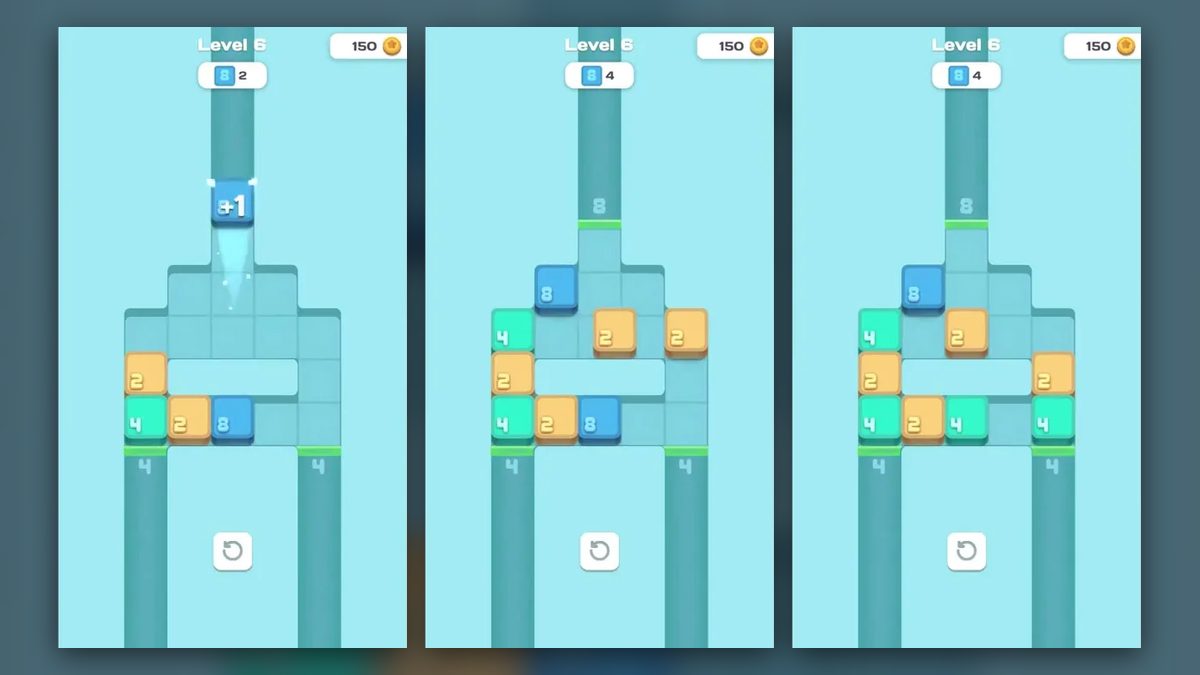
Collide Nums 2048 gameplay runs on a short loop. Equal tiles combine into the next value, orange 2s into green 4s and green 4s into blue 8s, and a tile whose number matches a chute exits through it. Each exit shows a “+1” at the chute and lowers the matching count, and the loop repeats until every goal carries a check.
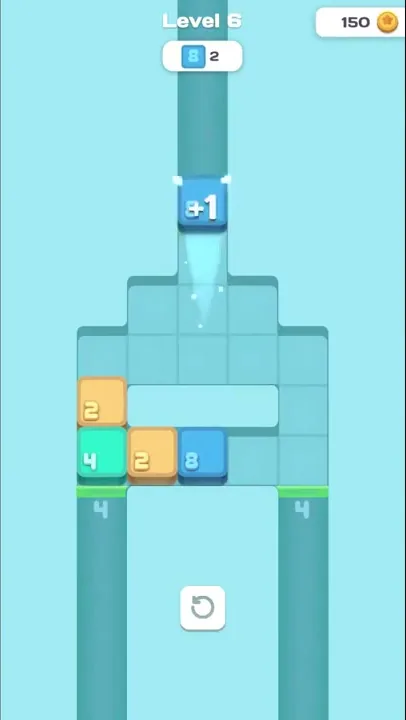
Tiles move one at a time, and the rest of the board stays put while one travels. The screen is in portrait, with the level label and goal counter at the top center and the coin balance at the top right. A white button with a circular-arrow icon sits below the board in every level.
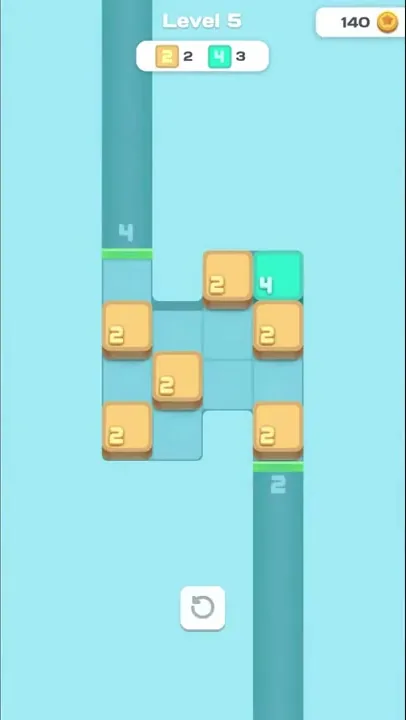
Two 2s and three 4s make up the goal on the notched Level 5 board, which holds orange 2s and a single green 4 in its top-right corner, so two of those 4s have to come from merging. The pair of 2s in the right-hand column goes out through the 2 chute first, with every other tile staying where it was, and the 2 goal turns into a check. That leaves four 2s and the lone 4. Shortly after, no 2s remain and two green 4s sit on the board, while the 4 counter has dropped from 3 to 2.
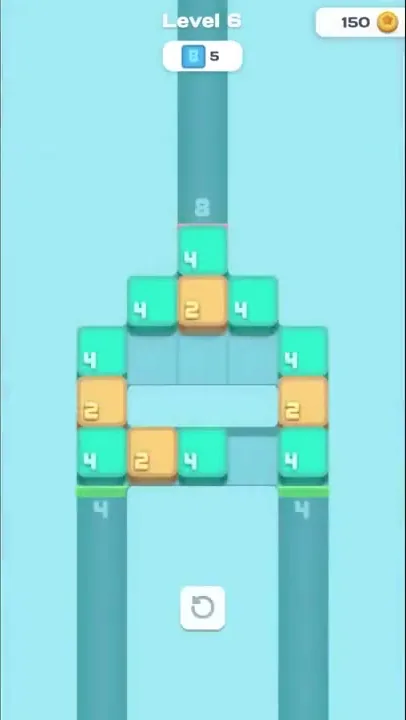
The tiles are chunky raised squares with rounded numerals, one color per value: orange with a brown base for 2, mint green for 4, blue for 8. All three share the board once Level 6 is under way.
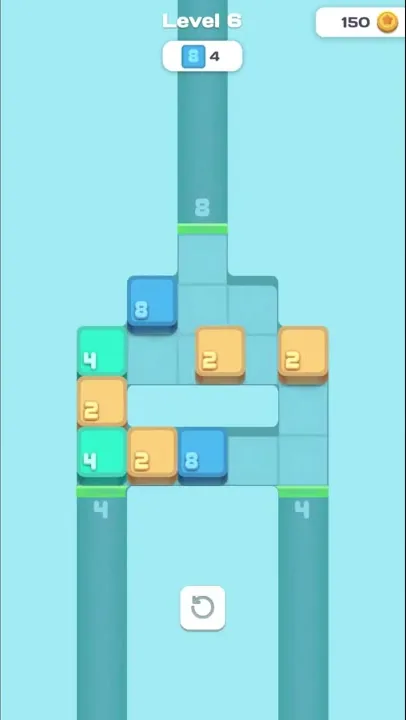
A merge shows up as a change on the board: lower tiles disappear and a higher one appears. Level 6 starts without a single 8, yet once two of its green 4s are gone, a blue 8 sits near the top of the board.
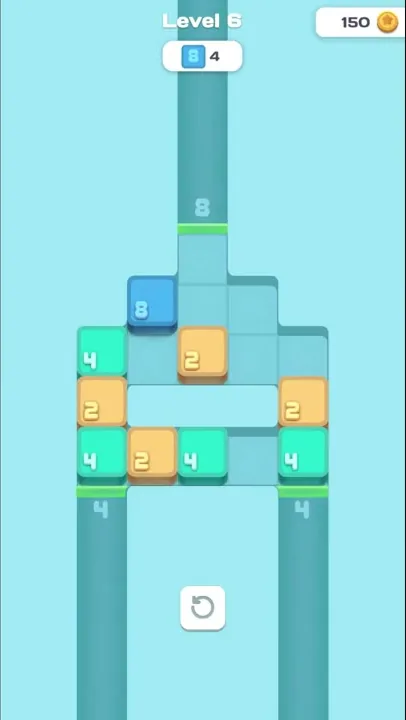
The chutes are long, darker channels running off the edge of the screen, each with a faded number at its mouth. Tiles carrying that number leave through it. How many chutes a board has, and where they sit, changes from level to level.
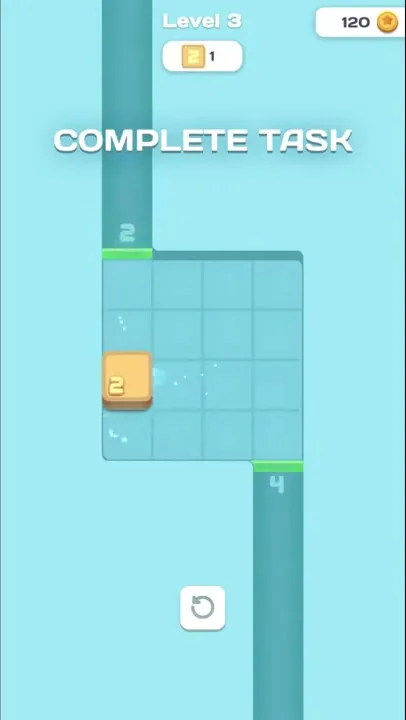
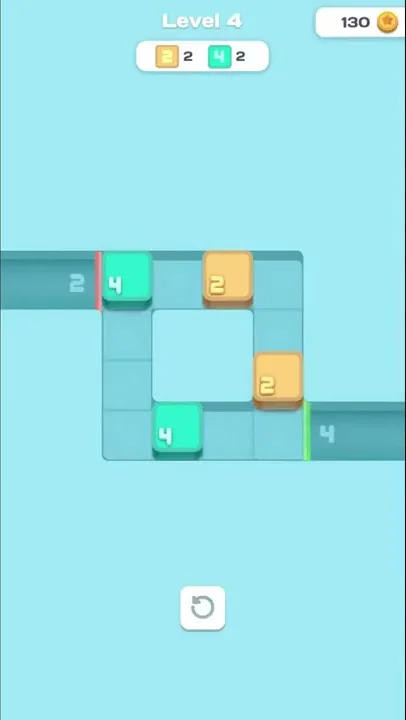
Where a chute meets the board, a short strip shows red or green. It was red whenever a tile with a different number sat on the cell in front of it, as with the green 4 against the 2 chute when Level 4 opens, and green once that cell was empty or held a matching tile. No on-screen text explains the colors.
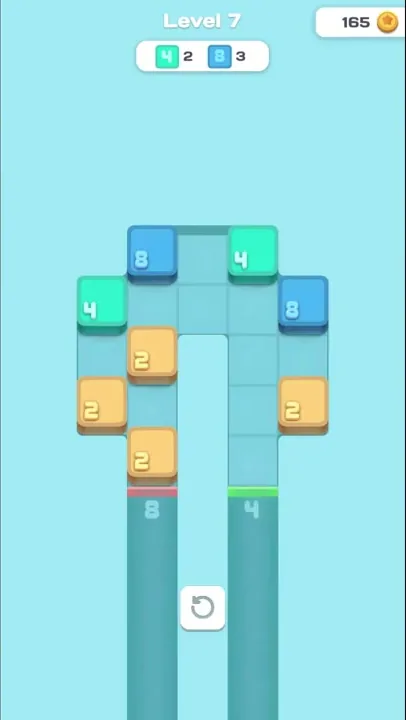
From Level 4 on, none of the boards is a plain rectangle. Cells are missing inside or along the edges, from the 2x2 hole at the center of Level 4’s ring to the open slot down the middle of Level 7.
Boards that grow holes and second goals
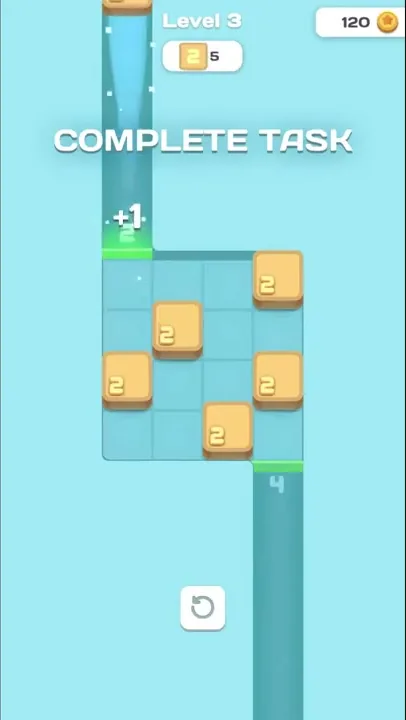
The goals widen first. Level 3 has a single counter for orange 2s and a “COMPLETE TASK” banner fixed across the upper screen. Its 4x4 grid has a 2 chute leading up from the left column and a 4 chute leading down from the right.
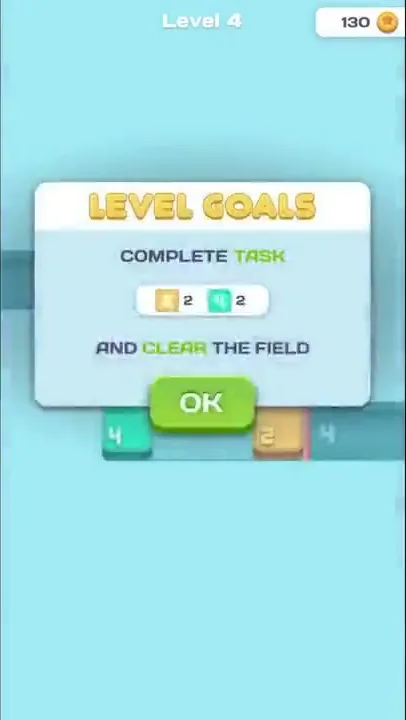
A “LEVEL GOALS” pop-up opens Level 4 with the first two-type goal, two 2s and two 4s, followed by the line “AND CLEAR THE FIELD” and an “OK” button. Behind the pop-up sits the ring board, with the 2 chute leading off the left end of the top row and the 4 chute off the right end of the bottom row.
Next, the goals start asking for numbers the board does not hold yet. Level 5 wants three 4s while only one green 4 sits among its orange 2s, on a 4x4 grid with one cell cut from the top edge and another from the bottom. Compared with Level 3, its chutes trade places: the 4 chute leads up from the left column and the 2 chute down from the right. Like Level 7 later on, it opens on a dimmed, blurred view of the board with “TAP TO PLAY” across it.
The boards also get wider. Level 6 is an arch five columns across, topped by a single cell and split by an open strip across its fourth row. It has three chutes, one marked 8 above the top cell and two marked 4 below the bottom corners, and its goal is five blue 8s with only 2s and 4s on the board at the start.
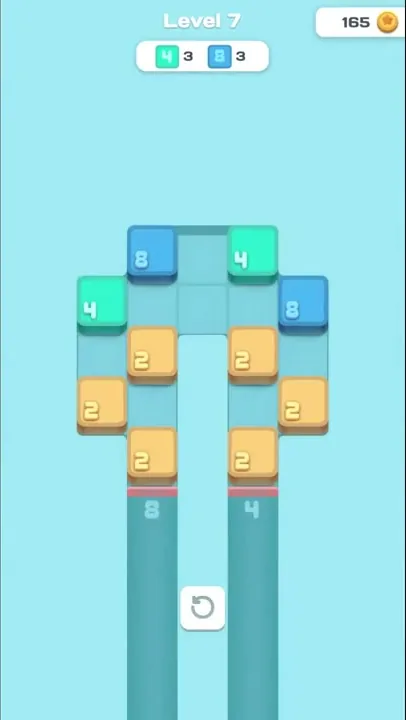
The last board in the stretch is an upside-down U with an open slot down its center column and both chutes underneath, 8 on the left leg and 4 on the right. Two goal types return, three 4s and three 8s, and this time blue 8s are on the board from the start: each side holds one 8, one 4 and three 2s.
The end of Level 5 showed “LEVEL COMPLETE” over a darkened background with confetti. Below it sat a coin icon with 10 beside it and a green “CLAIM” button.

Coins collect in a balance with a star-coin icon at the top right of every screen, and the total was higher at the start of each later level. No screen for spending them came up.
2048 doubling wired into sliding exits
We found the pairing of 2048 merging with the sliding-block puzzle clever and well reasoned. The two halves lean on each other: Level 6 asks for five blue 8s from a board that has none, so every 8 sent up the top chute first has to be built out of 4s. The three-4 goal on Level 5, with a single 4 on the board, works the same way.
The sound effects and artwork both struck us as fairly well developed. The artwork keeps to a flat pastel look, with teal cells on a light cyan background and chunky tiles colored by value. Small touches follow each move, such as the pale streak behind a moving tile and the sparkles around the “+1” as a tile exits.
Simple parts, recombined and seen before
The design takes simple core mechanics apart and splices them together: 2048’s doubling of 2s into 4s and 8s on one side, the sliding-block exit puzzle on the other. Similar gameplay has turned up in each of the past three weeks.
Some things stayed out of sight in this stretch. No fail screen appeared, so what happens when a board can’t be finished is unknown, and the circular-arrow button below the board was never used, so its job isn’t shown either.
Doubling numbers toward a quota on odd boards
Each level is a small counting job. The counter names how many tiles of each number it wants, and the player works out which equal tiles to pair up and in what order to send the rest out, one tile at a time. Sliding-block fans will recognize the routing around holes and corners, with 2048’s doubling layered on top. The screen never showed a clock or a tally of moves.
Verdict
On balance, Collide Nums 2048 earns a favorable verdict. Its doubling rule and its exit puzzle make sense together, and the presentation has a fairly mature finish. Beyond that, the recipe is simple pieces reassembled, and games built along the same lines have appeared week after week lately.